# Terraform 데이터소스 개념 및 특징
데이터 소스인 Terraform은 Terraform 구성 외부에서 정보를 가져와 사용하는 방법입니다 . 데이터 소스를 사용하면 클라우드 공급자, 데이터베이스 또는 기타 서비스와 같은 기존 인프라 에서 정보를 검색하고 Terraform 구성 내에서 해당 정보를 사용할 수 있습니다 .
일반적인 Terraform 구성은 생성 또는 관리해야 하는 리소스를 정의하지만 때로는 다른 리소스의 생성 또는 구성을 알리기 위해 기존 리소스의 정보가 필요할 수도 있습니다. 여기가 데이터 소스가 들어오는 곳입니다.
데이터 소스의 기본 구문
data "provider_type_resource"  "name" {
  # 데이터 소스에 대한 구성 매개변수
   attribute_name = "value"
  # ...
}- provider_type_resource: 쿼리할 공급자 유형과 리소스 유형을 지정합니다.
- name: 구성의 다른 부분에서 데이터를 참조하는 데 사용되는 데이터 소스 인스턴스의 로컬 이름입니다.
예: AWS 데이터 소스
AWS에서 최신 Amazon Machine Image(AMI)에 대한 정보를 검색하고 이를 사용하여 EC2 인스턴스를 시작해야 하는 일반적인 시나리오를 고려해 보겠습니다.
data "aws_ami"  "latest_amazon_linux" {
  Most_recent = true
   owner = [ "amazon" ]

  filter {
    name = "name"
     value = [ "amzn2-ami-hvm-*-x86_64-gp2" ]
  }
}

#fetched AMI이며 우리는 사용할 준비가되었습니다 ...- 블록 data "aws_ami"은 최신 Amazon Linux AMI에 대한 정보를 가져오는 데이터 소스를 정의합니다.
- 그런 다음 블록 resource "aws_instance"은 데이터 소스에서 검색된 AMI ID를 사용하여 EC2 인스턴스를 시작합니다.
일반적인 사용 사례
데이터 원본은 다양한 시나리오에서 매우 중요합니다.
- 네트워크 정보 검색: 기존 서브넷, 보안 그룹 또는 가상 네트워크에 대한 세부 정보를 가져오는 중입니다.
- 데이터베이스 연결 정보: 데이터베이스에 대한 엔드포인트 및 연결 세부 정보를 가져옵니다.
- 외부 구성 매개변수: 외부 소스에서 구성 매개변수를 가져오는 중입니다.
- 동적 리소스 구성: 기존 리소스의 데이터를 사용하여 다른 리소스를 동적으로 구성합니다.
데이터 소스를 사용 하여 서브넷, 보안 그룹, 데이터베이스 엔드포인트 등과 같은 다양한 엔터티에 대한 정보를 얻을 수 있습니다 .
Terraform 데이터 소스는 기존 인프라와 상호 작용하고 외부 정보를 구성에 통합하기 위한 강력한 메커니즘을 제공합니다 . 이를 통해 사용자는 외부 서비스와 원활하게 통합하고 필요에 따라 데이터를 획득함으로써 역동적이고 유연한 인프라를 구축할 수 있습니다 .
데이터 소스의 세부 사항은 사용되는 공급자(예: AWS, Azure, Google Cloud 등)에 따라 다를 수 있습니다. 각 공급자는 자체 데이터 소스 세트를 정의합니다 .
# 테라폼 2주차 실습
1.데이터소스
- 데이터 소스는 테라폼으로 정의되지 않은 외부 리소스 또는 저장된 정보를 테라폼 내에서 참조할 때 사용한다
mkdir 3.5 && cd 3.5
touch main.tf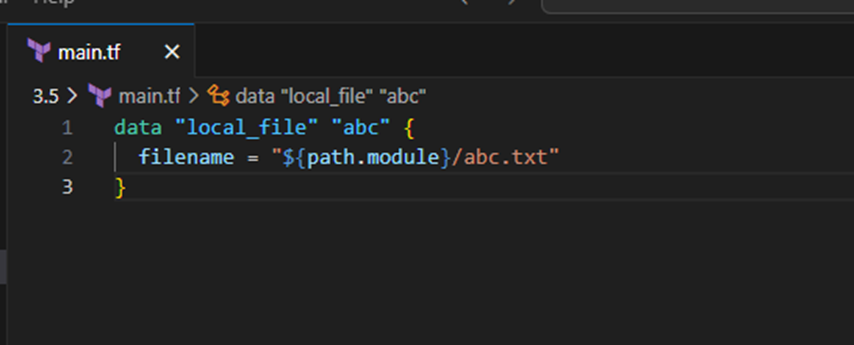
- 데이터 소스 블록은 data 로 시작, 이후 ‘데이터 소스 유형’을 정의 ← Resource 블록 정의와 유사
- 데이터 소스 유형은 첫 번째 _를 기준으로 앞은 프로바이더 이름, 뒤는 프로바이더에서 제공하는 리소스 유형을 의미한다.
- 데이터 소스 유형을 선언한 뒤에는 고유한 이름을 붙인다. 리소스의 이름과 마찬가지로 이름은 동일한 유형에 대한 식별자 역할을 하므로 중복될 수 없다.
- 이름 뒤에는 데이터 소스 유형에 대한 구성 인수들은 { } 안에 선언한다. 인수가 필요하지 않은 유형도 있지만, 그때에도 { } 는 입력한다
data "local_file" "abc" {
  filename = "${path.module}/abc.txt"
}- 데이터 소스를 정의할 때 사용 가능한 메타인수는 다음과 같다.
- depends_on : 종속성을 선언하며, 선언된 구성요소와의 생성 시점에 대해 정의
- count : 선언된 개수에 따라 여러 리소스를 생성
- for_each : map 또는 set 타입의 데이터 배열의 값을 기준으로 여러 리소스를 생성
- lifecycle : 리소스의 수명주기 관리
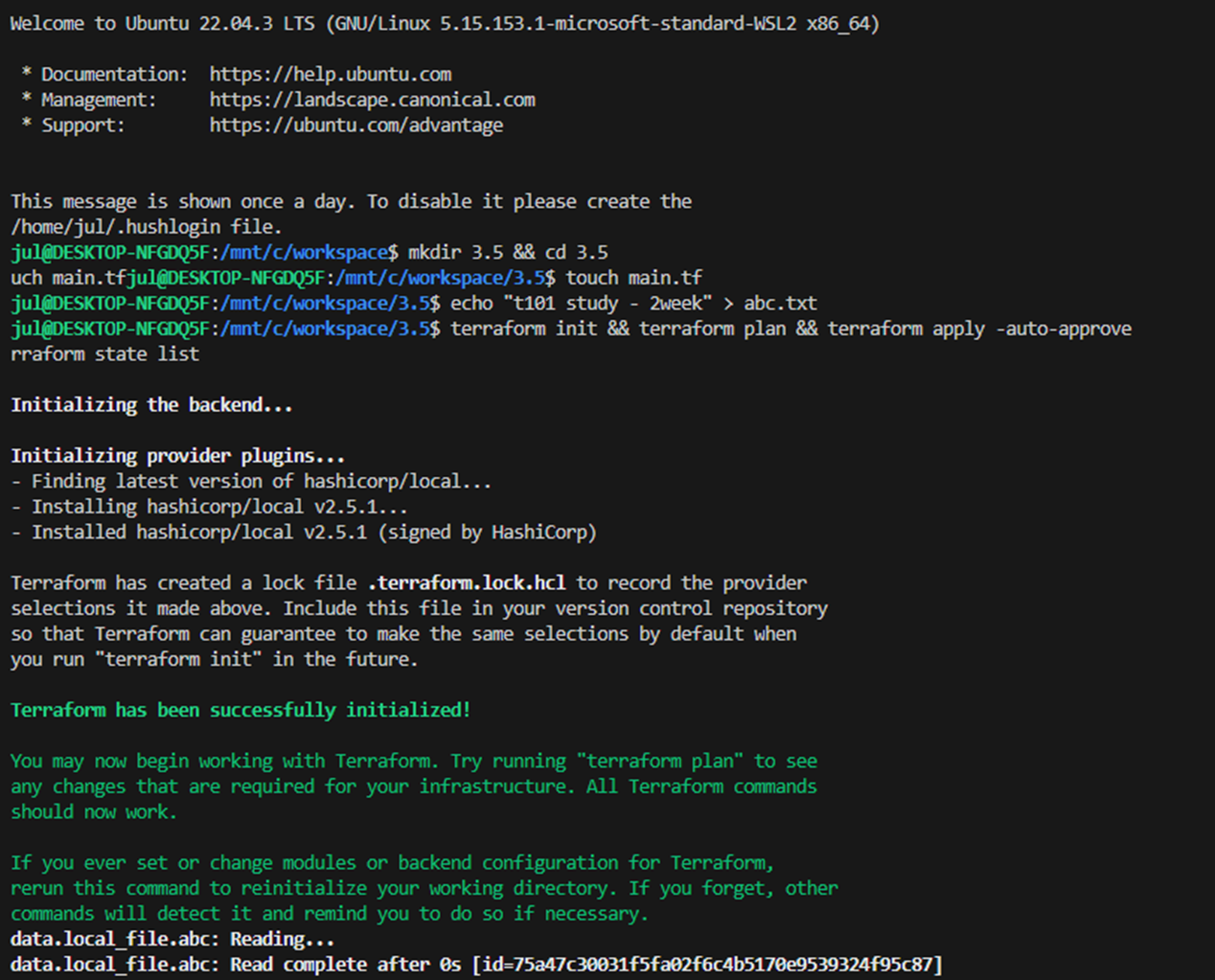
- 실습 확인
# 실습 확인을 위해서 abc.txt 파일 생성
echo "t101 study - 2week" > abc.txt

#
terraform init && terraform plan && terraform apply -auto-approve
terraform state list

# 테라폼 콘솔 : 데이터 소스 참조 확인
terraform console
>
data.local_file.abc
...
data.local_file.abc.filename
data.local_file.abc.content
data.local_file.abc.id
exit

2. [도전과제1] 위 리전 내에서 사용 가능한 가용영역 목록 가져오기를 사용한 VPC 리소스 생성 실습 진행, 혹은 아무거나 데이터 소스를 사용한 실습 진행
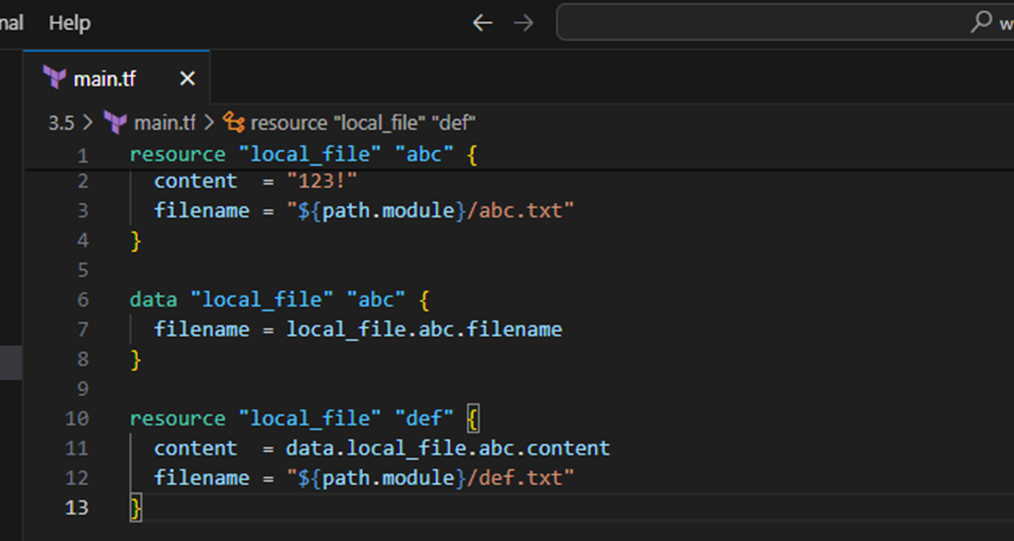
- main.tf 파일 코드 수정
resource "local_file" "abc" {
  content  = "123!"
  filename = "${path.module}/abc.txt"
}

data "local_file" "abc" {
  filename = local_file.abc.filename
}

resource "local_file" "def" {
  content  = data.local_file.abc.content
  filename = "${path.module}/def.txt"
}
#
terraform apply -auto-approve
terraform state list

# 파일 확인
ls *.txt
diff abc.txt def.txt

# graph 확인
terraform graph > graph.dot

# 테라폼 콘솔 : 데이터 소스 참조 확인
echo "data.local_file.abc.content" | terraform console

# 생성된 파일 권한이 다름??? 왜지???
ls -l
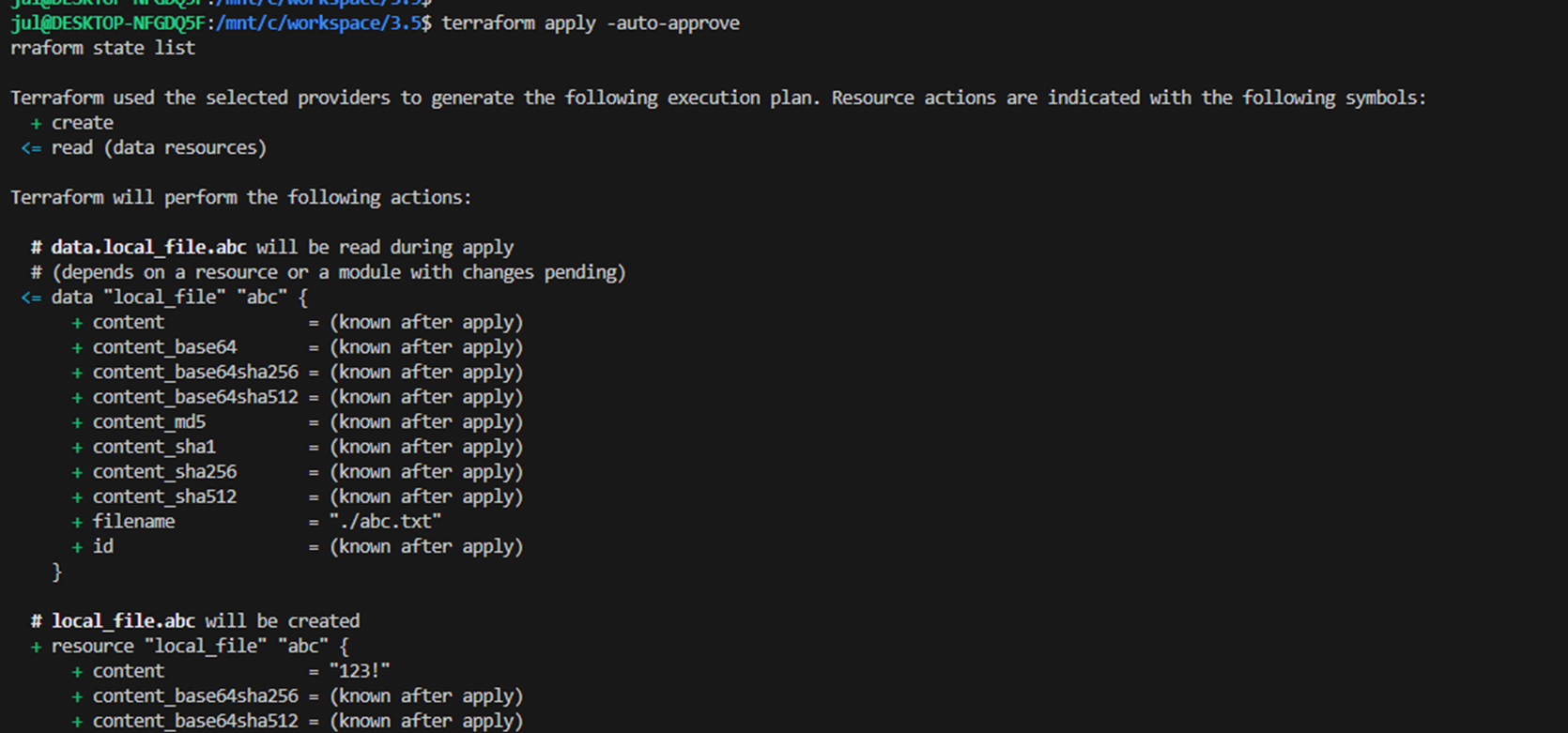
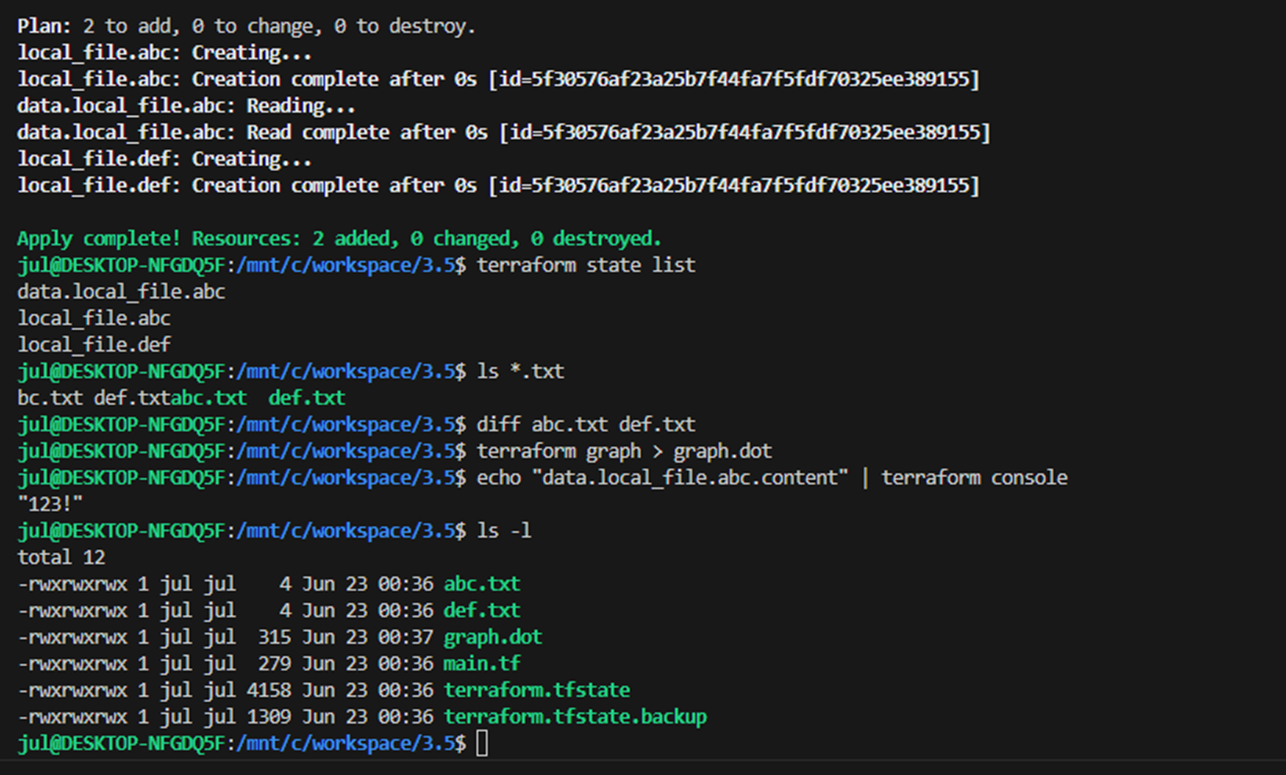
3. [스터디 전용/실습1] VPC + 보안그룹 + EC2 배포
- VPC 배포 : vpc.tf - Docs
# 신규 디렉터리 생성
mkdir my-vpc-ec2
cd my-vpc-ec2
touch vpc.tf
- vpc.tf 파일 생성
provider "aws" {
  region  = "ap-northeast-2"
}

resource "aws_vpc" "myvpc" {
  cidr_block       = "10.10.0.0/16"

  tags = {
    Name = "t101-study"
  }
}
# 배포
terraform init && terraform plan && terraform apply -auto-approve
terraform state list
terraform state show aws_vpc.myvpc
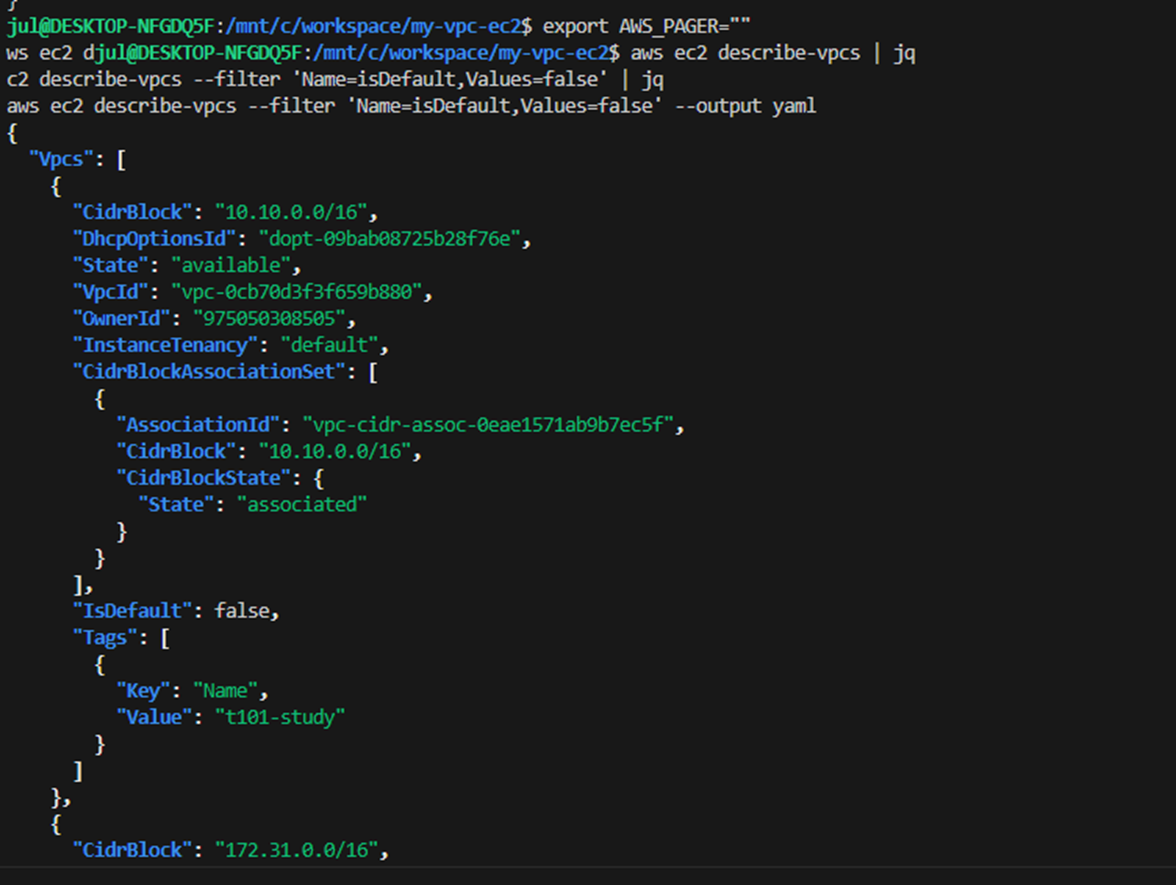
# VPC 확인
export AWS_PAGER=""
aws ec2 describe-vpcs | jq
aws ec2 describe-vpcs --filter 'Name=isDefault,Values=false' | jq
aws ec2 describe-vpcs --filter 'Name=isDefault,Values=false' --output yaml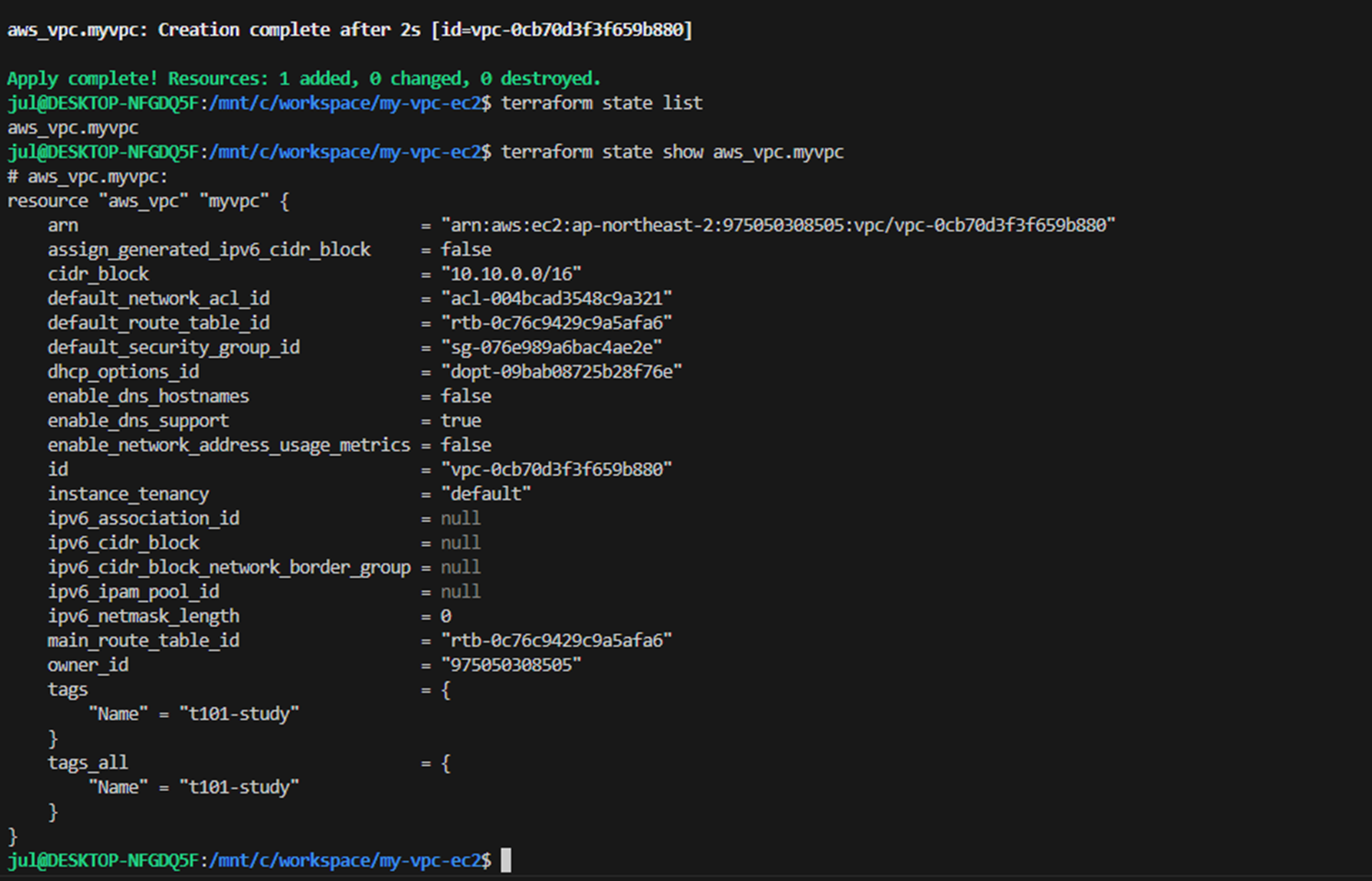
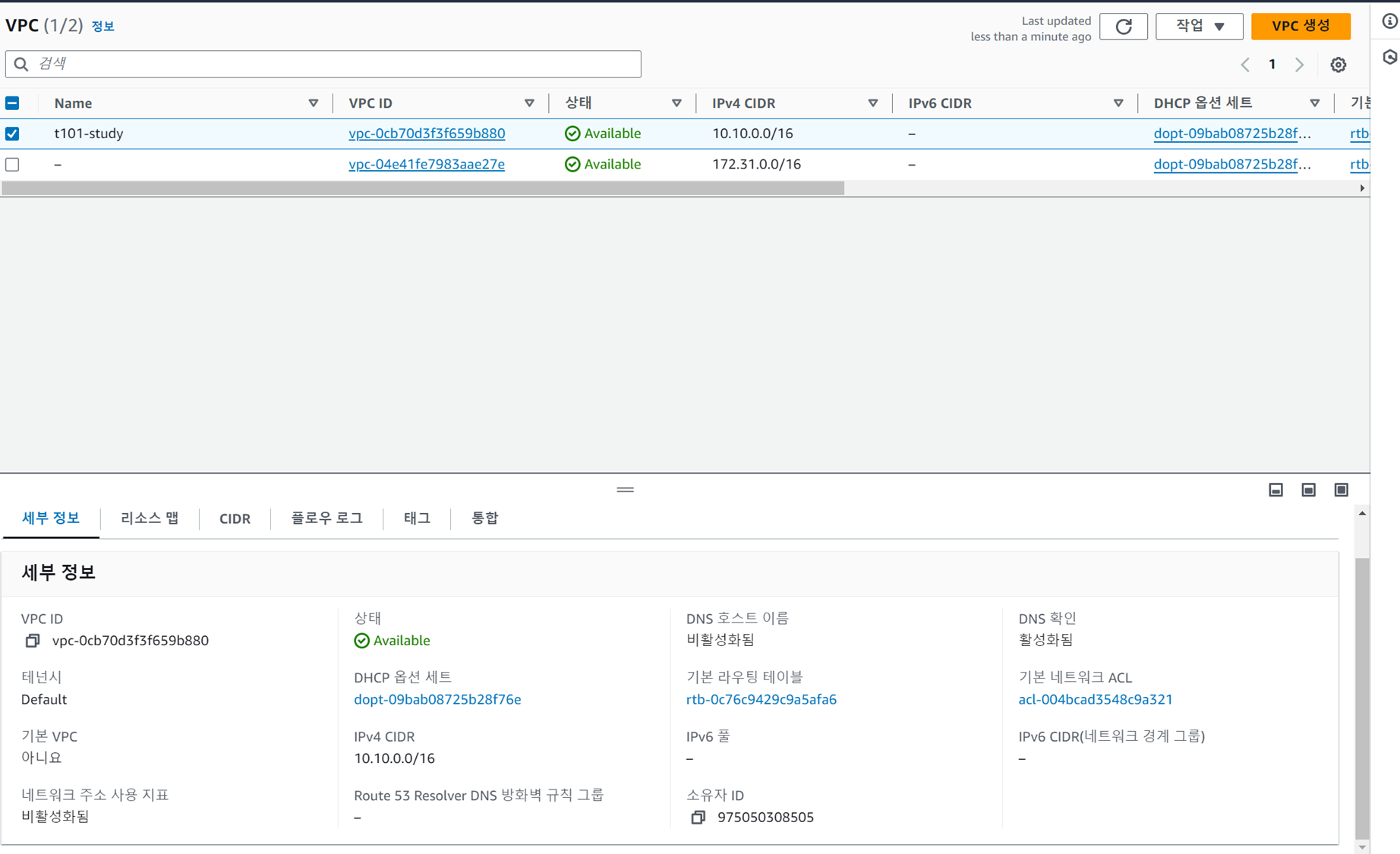
- AWS 관리콘솔에서 VPC 생성 정보 확인 : DNS 옵션값 확인
- vpc.tf 코드 내용 수정 : VPC DNS 옵션 수정
provider "aws" {
  region  = "ap-northeast-2"
}

resource "aws_vpc" "myvpc" {
  cidr_block       = "10.10.0.0/16"
  enable_dns_support   = true
  enable_dns_hostnames = true

  tags = {
    Name = "t101-study"
  }
}
# 배포
terraform plan && terraform apply -auto-approve
- AWS 관리콘솔에서 VPC 생성 정보 확인 : DNS 옵션값 확인

provider "aws" {
  region  = "ap-northeast-2"
}

resource "aws_vpc" "myvpc" {
  cidr_block       = "10.10.0.0/16"
  enable_dns_support   = true
  enable_dns_hostnames = true

  tags = {
    Name = "t101-study"
  }
}

resource "aws_subnet" "mysubnet1" {
  vpc_id     = aws_vpc.myvpc.id
  cidr_block = "10.10.1.0/24"

  availability_zone = "ap-northeast-2a"

  tags = {
    Name = "t101-subnet1"
  }
}

resource "aws_subnet" "mysubnet2" {
  vpc_id     = aws_vpc.myvpc.id
  cidr_block = "10.10.2.0/24"

  availability_zone = "ap-northeast-2c"

  tags = {
    Name = "t101-subnet2"
  }
}

output "aws_vpc_id" {
  value = aws_vpc.myvpc.id
}
# 배포
terraform plan && terraform apply -auto-approve
terraform state list
aws_subnet.mysubnet1
aws_subnet.mysubnet2
aws_vpc.myvpc

terraform state show aws_subnet.mysubnet1

terraform output
terraform output aws_vpc_id
terraform output -raw aws_vpc_id

# graph 확인 > graph.dot 파일 선택 후 오른쪽 상단 DOT 클릭
terraform graph > graph.dot

# 서브넷 확인
aws ec2 describe-subnets --output text

# 참고 : aws ec2 describe-subnets --filters "Name=vpc-id,Values=vpc-<자신의 VPC ID>"
VPCID=$(terraform output -raw aws_vpc_id)
aws ec2 describe-subnets --filters "Name=vpc-id,Values=$VPCID" | jq
aws ec2 describe-subnets --filters "Name=vpc-id,Values=$VPCID" --output table
- vpc.tf 코드 내용 수정 : IGW 인터넷 게이트웨이 추가
provider "aws" {
  region  = "ap-northeast-2"
}

resource "aws_vpc" "myvpc" {
  cidr_block       = "10.10.0.0/16"
  enable_dns_support   = true
  enable_dns_hostnames = true

  tags = {
    Name = "t101-study"
  }
}

resource "aws_subnet" "mysubnet1" {
  vpc_id     = aws_vpc.myvpc.id
  cidr_block = "10.10.1.0/24"

  availability_zone = "ap-northeast-2a"

  tags = {
    Name = "t101-subnet1"
  }
}

resource "aws_subnet" "mysubnet2" {
  vpc_id     = aws_vpc.myvpc.id
  cidr_block = "10.10.2.0/24"

  availability_zone = "ap-northeast-2c"

  tags = {
    Name = "t101-subnet2"
  }
}


resource "aws_internet_gateway" "myigw" {
  vpc_id = aws_vpc.myvpc.id

  tags = {
    Name = "t101-igw"
  }
}

output "aws_vpc_id" {
  value = aws_vpc.myvpc.id
}
# 배포
terraform plan && terraform apply -auto-approve
terraform state list
aws_internet_gateway.myigw
aws_subnet.mysubnet1
aws_subnet.mysubnet2
aws_vpc.myvpc
terraform state show aws_internet_gateway.myigw
- vpc.tf 코드 내용 수정 : IGW 인터넷 게이트웨이로 전달하는 디폴트 라우팅 정보 추가
provider "aws" {
  region  = "ap-northeast-2"
}

resource "aws_vpc" "myvpc" {
  cidr_block       = "10.10.0.0/16"
  enable_dns_support   = true
  enable_dns_hostnames = true

  tags = {
    Name = "t101-study"
  }
}

resource "aws_subnet" "mysubnet1" {
  vpc_id     = aws_vpc.myvpc.id
  cidr_block = "10.10.1.0/24"

  availability_zone = "ap-northeast-2a"

  tags = {
    Name = "t101-subnet1"
  }
}

resource "aws_subnet" "mysubnet2" {
  vpc_id     = aws_vpc.myvpc.id
  cidr_block = "10.10.2.0/24"

  availability_zone = "ap-northeast-2c"

  tags = {
    Name = "t101-subnet2"
  }
}


resource "aws_internet_gateway" "myigw" {
  vpc_id = aws_vpc.myvpc.id

  tags = {
    Name = "t101-igw"
  }
}

resource "aws_route_table" "myrt" {
  vpc_id = aws_vpc.myvpc.id

  tags = {
    Name = "t101-rt"
  }
}

resource "aws_route_table_association" "myrtassociation1" {
  subnet_id      = aws_subnet.mysubnet1.id
  route_table_id = aws_route_table.myrt.id
}

resource "aws_route_table_association" "myrtassociation2" {
  subnet_id      = aws_subnet.mysubnet2.id
  route_table_id = aws_route_table.myrt.id
}

resource "aws_route" "mydefaultroute" {
  route_table_id         = aws_route_table.myrt.id
  destination_cidr_block = "0.0.0.0/0"
  gateway_id             = aws_internet_gateway.myigw.id
}

output "aws_vpc_id" {
  value = aws_vpc.myvpc.id
}
# 배포
terraform plan && terraform apply -auto-approve
terraform state list
aws_internet_gateway.myigw
aws_route.mydefaultroute
aws_route_table.myrt
aws_route_table_association.myrtassociation1
aws_route_table_association.myrtassociation2
aws_subnet.mysubnet1
aws_subnet.mysubnet2
aws_vpc.myvpc
terraform state show aws_route.mydefaultroute
# graph 확인 > graph.dot 파일 선택 후 오른쪽 상단 DOT 클릭
terraform graph > graph.dot
# 라우팅 테이블 확인
#aws ec2 describe-route-tables --filters 'Name=tag:Name,Values=t101-rt' --query 'RouteTables[].Associations[].SubnetId'
aws ec2 describe-route-tables --filters 'Name=tag:Name,Values=t101-rt' --output table
resource "aws_security_group" "mysg" {
  vpc_id      = aws_vpc.myvpc.id
  name        = "T101 SG"
  description = "T101 Study SG"
}

resource "aws_security_group_rule" "mysginbound" {
  type              = "ingress"
  from_port         = 80
  to_port           = 80
  protocol          = "tcp"
  cidr_blocks       = ["0.0.0.0/0"]
  security_group_id = aws_security_group.mysg.id
}

resource "aws_security_group_rule" "mysgoutbound" {
  type              = "egress"
  from_port         = 0
  to_port           = 0
  protocol          = "-1"
  cidr_blocks       = ["0.0.0.0/0"]
  security_group_id = aws_security_group.mysg.id
}

output "aws_security_group_id" {
  value       = aws_security_group.mysg.id
}

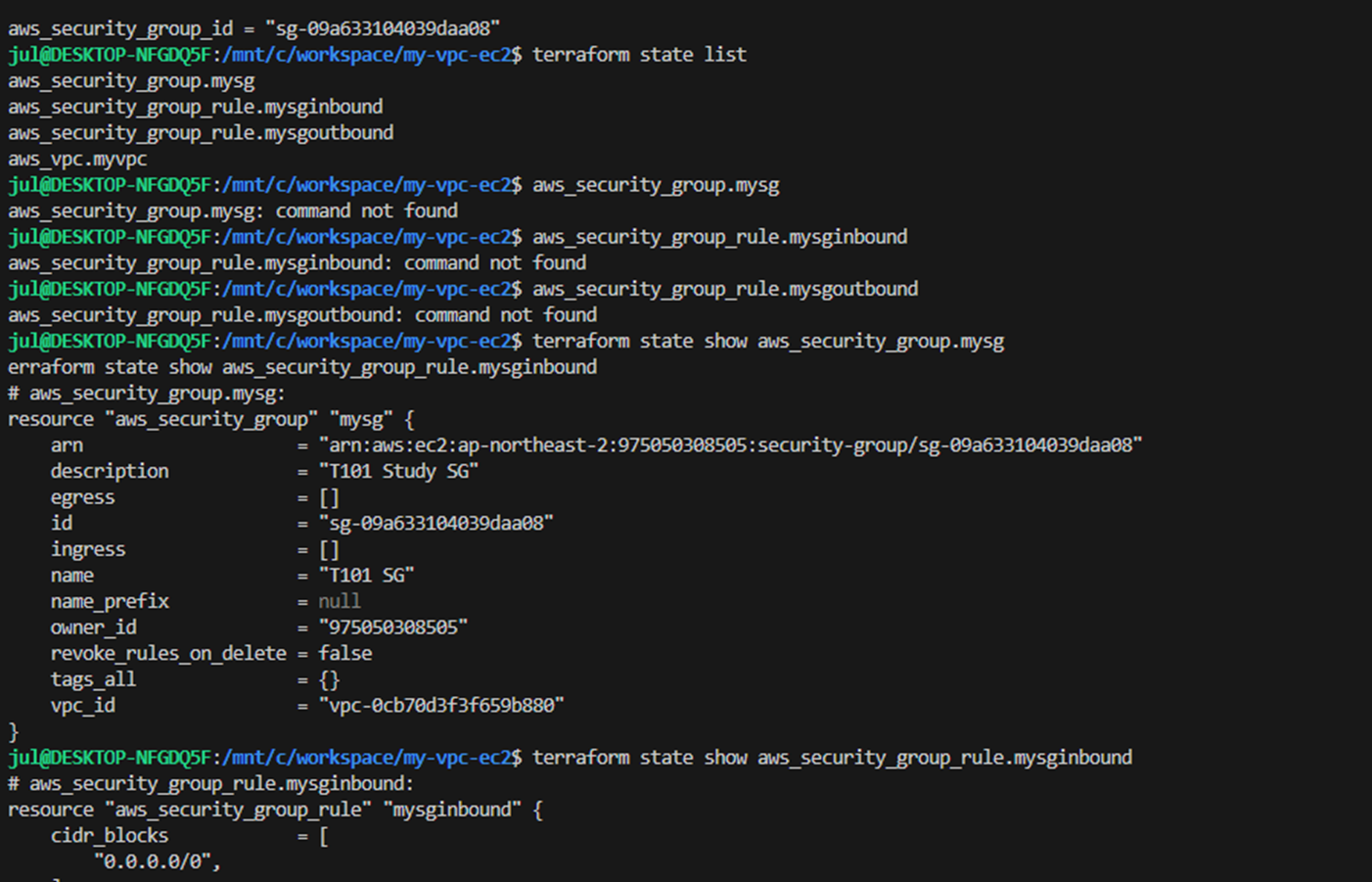
- ec2.tf 파일 생성 : EC2 생성 - Docs
data "aws_ami" "my_amazonlinux2" {
  most_recent = true
  filter {
    name   = "owner-alias"
    values = ["amazon"]
  }

  filter {
    name   = "name"
    values = ["amzn2-ami-hvm-*-x86_64-ebs"]
  }

  owners = ["amazon"]
}

resource "aws_instance" "myec2" {

  depends_on = [
    aws_internet_gateway.myigw
  ]

  ami                         = data.aws_ami.my_amazonlinux2.id
  associate_public_ip_address = true
  instance_type               = "t2.micro"
  vpc_security_group_ids      = ["${aws_security_group.mysg.id}"]
  subnet_id                   = aws_subnet.mysubnet1.id

  user_data = <<-EOF
              #!/bin/bash
              wget https://busybox.net/downloads/binaries/1.31.0-defconfig-multiarch-musl/busybox-x86_64
              mv busybox-x86_64 busybox
              chmod +x busybox
              RZAZ=$(curl http://169.254.169.254/latest/meta-data/placement/availability-zone-id)
              IID=$(curl 169.254.169.254/latest/meta-data/instance-id)
              LIP=$(curl 169.254.169.254/latest/meta-data/local-ipv4)
              echo "<h1>RegionAz($RZAZ) : Instance ID($IID) : Private IP($LIP) : Web Server</h1>" > index.html
              nohup ./busybox httpd -f -p 80 &
              EOF

  user_data_replace_on_change = true

  tags = {
    Name = "t101-myec2"
  }
}

output "myec2_public_ip" {
  value       = aws_instance.myec2.public_ip
  description = "The public IP of the Instance"
}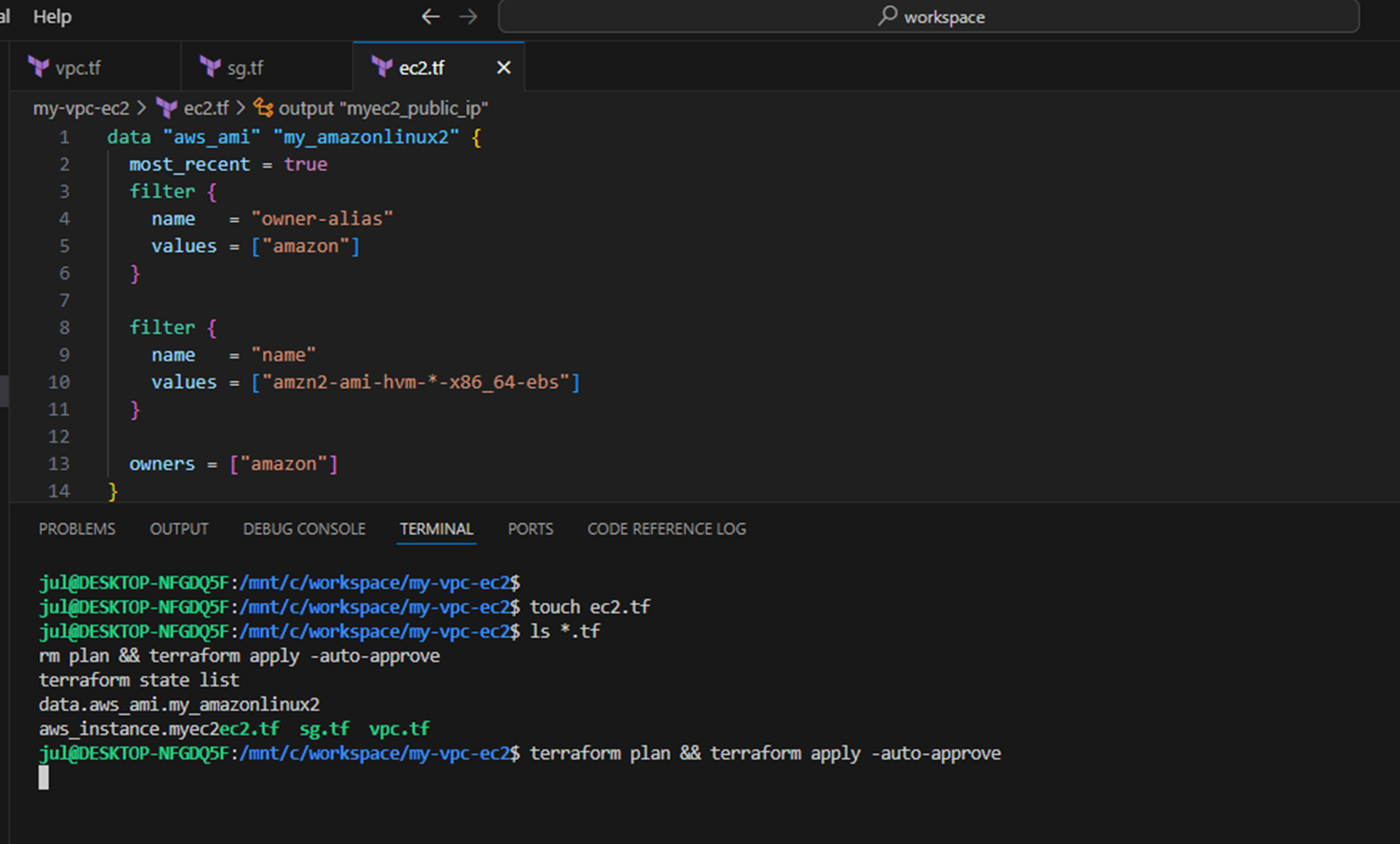
- 배포 실행 후 EC2 확인
#
ls *.tf
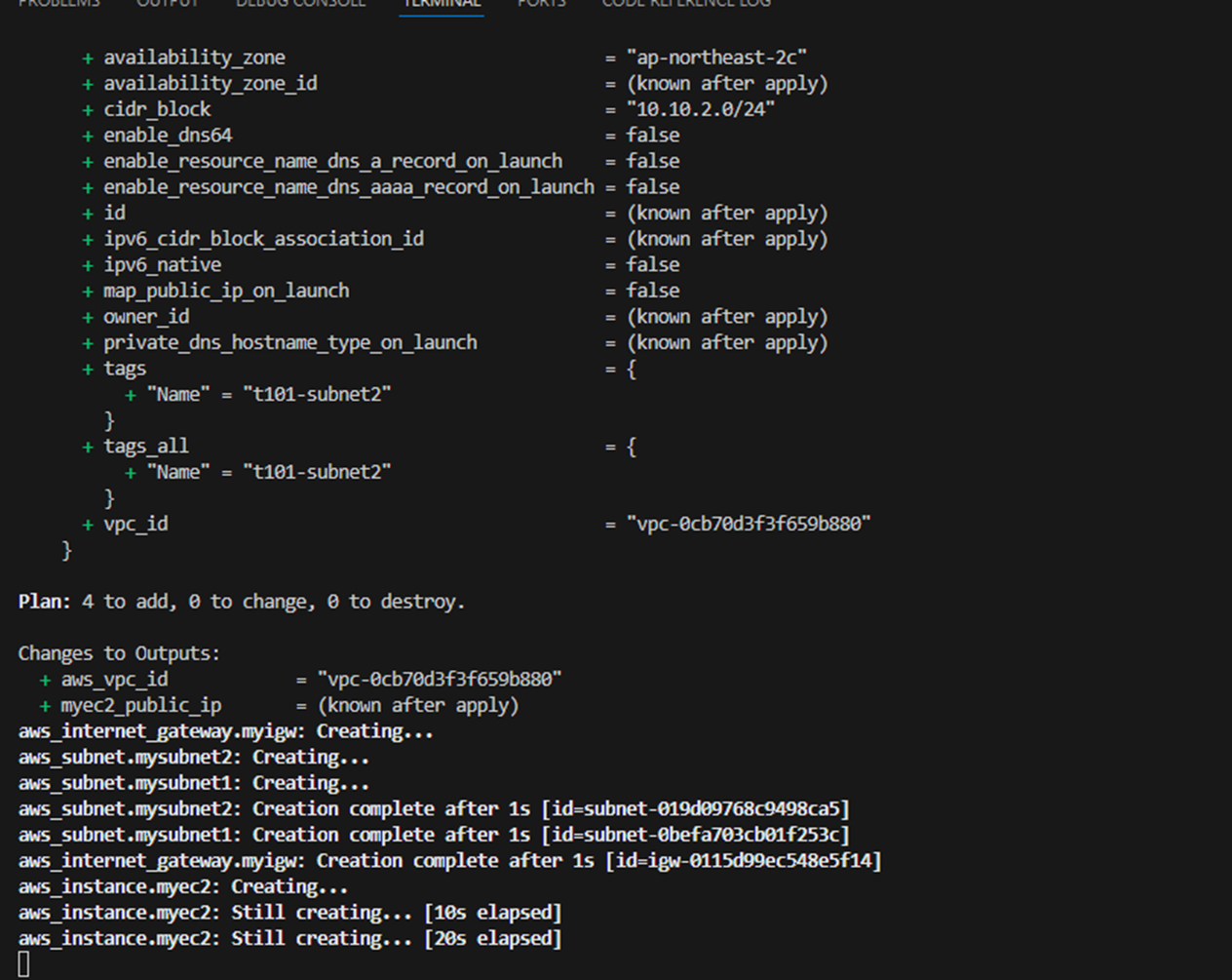
terraform plan && terraform apply -auto-approve
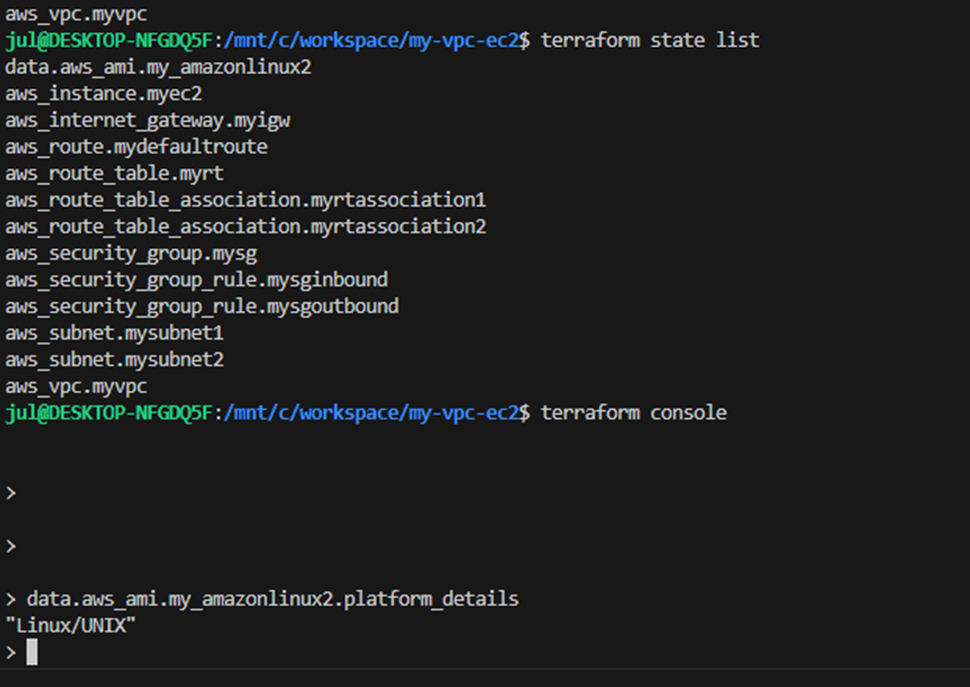
terraform state list
data.aws_ami.my_amazonlinux2
aws_instance.myec2
...

terraform state show data.aws_ami.my_amazonlinux2
terraform state show aws_instance.myec2

# 데이터소스 값 확인
terraform console
>
data.aws_ami.my_amazonlinux2
data.aws_ami.my_amazonlinux2.id
"ami-01c81850a6167bb81"
data.aws_ami.my_amazonlinux2.image_id
data.aws_ami.my_amazonlinux2.name
data.aws_ami.my_amazonlinux2.owners
data.aws_ami.my_amazonlinux2.platform_details
data.aws_ami.my_amazonlinux2.hypervisor
data.aws_ami.my_amazonlinux2.architecture
exit

# graph 확인 > graph.dot 파일 선택 후 오른쪽 상단 DOT 클릭
terraform graph > graph.dot

# 출력된 EC2 퍼블릭IP로 cul 접속 확인
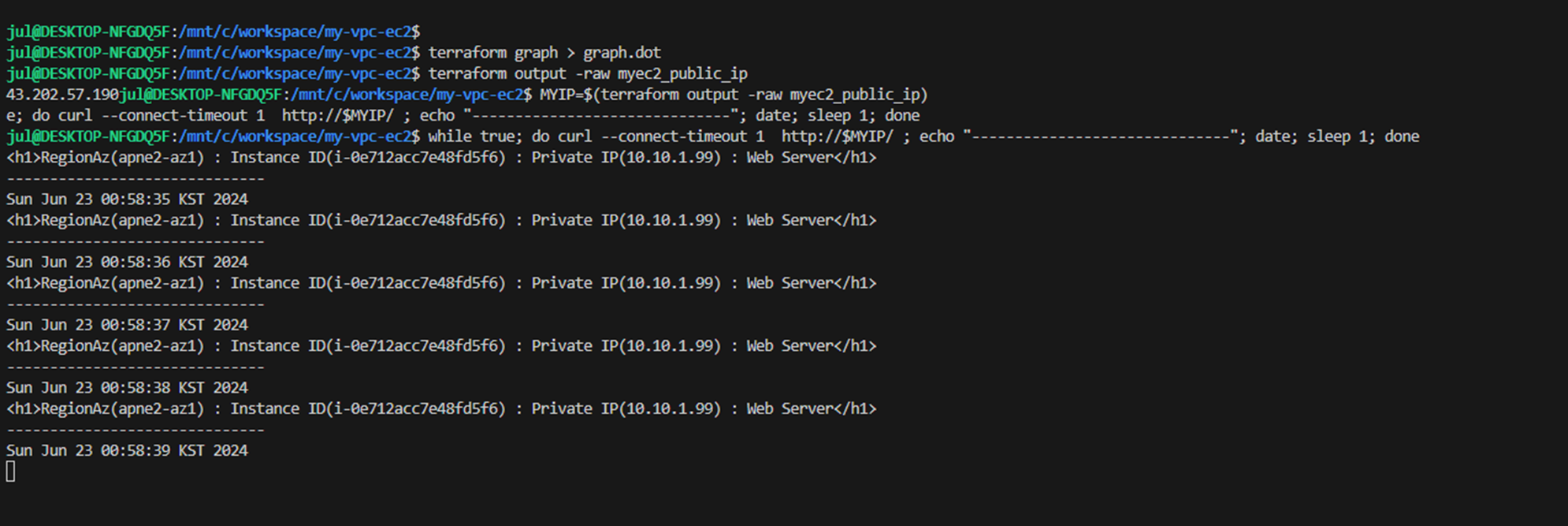
terraform output -raw myec2_public_ip
52.79.154.3

MYIP=$(terraform output -raw myec2_public_ip)
while true; do curl --connect-timeout 1  http://$MYIP/ ; echo "------------------------------"; date; sleep 1; done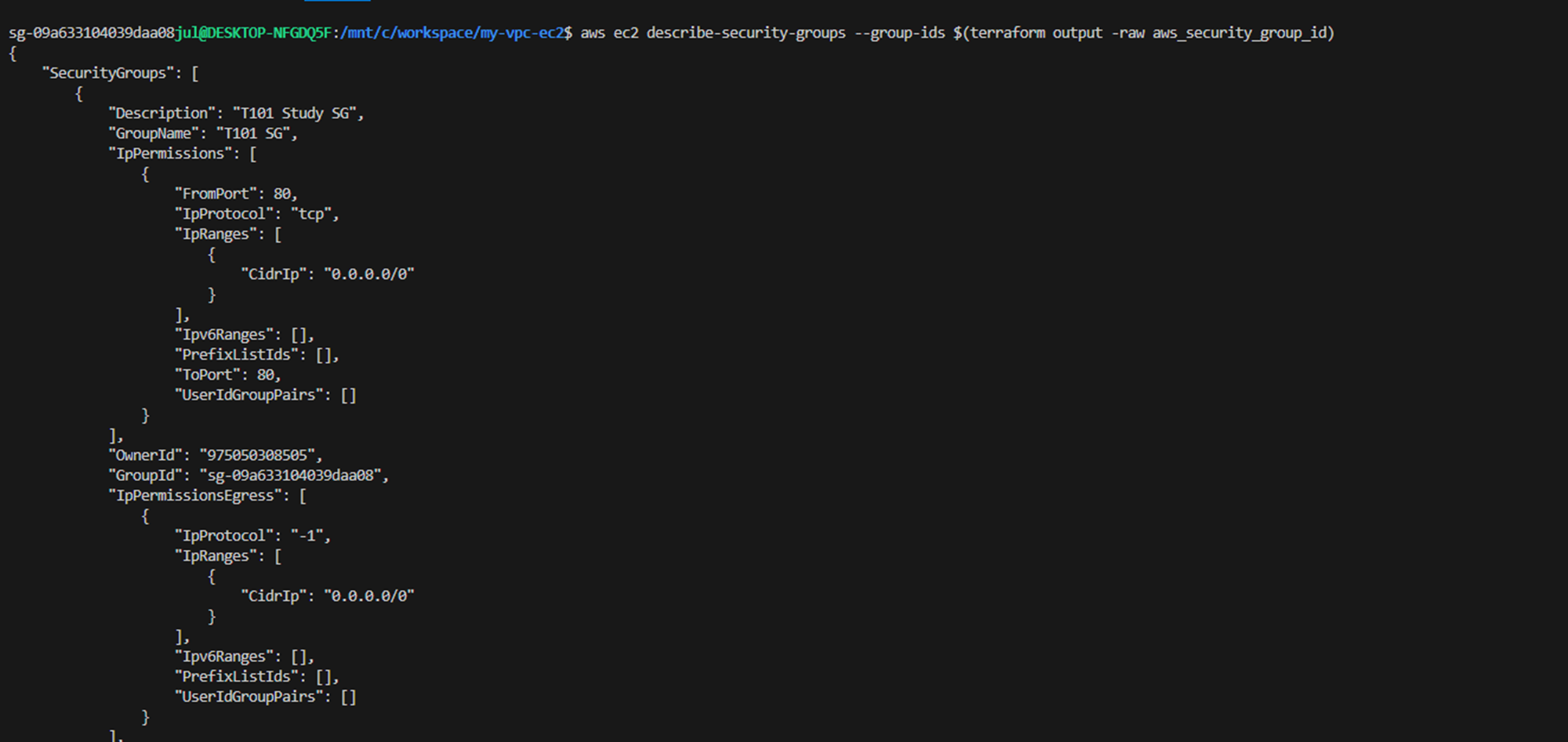


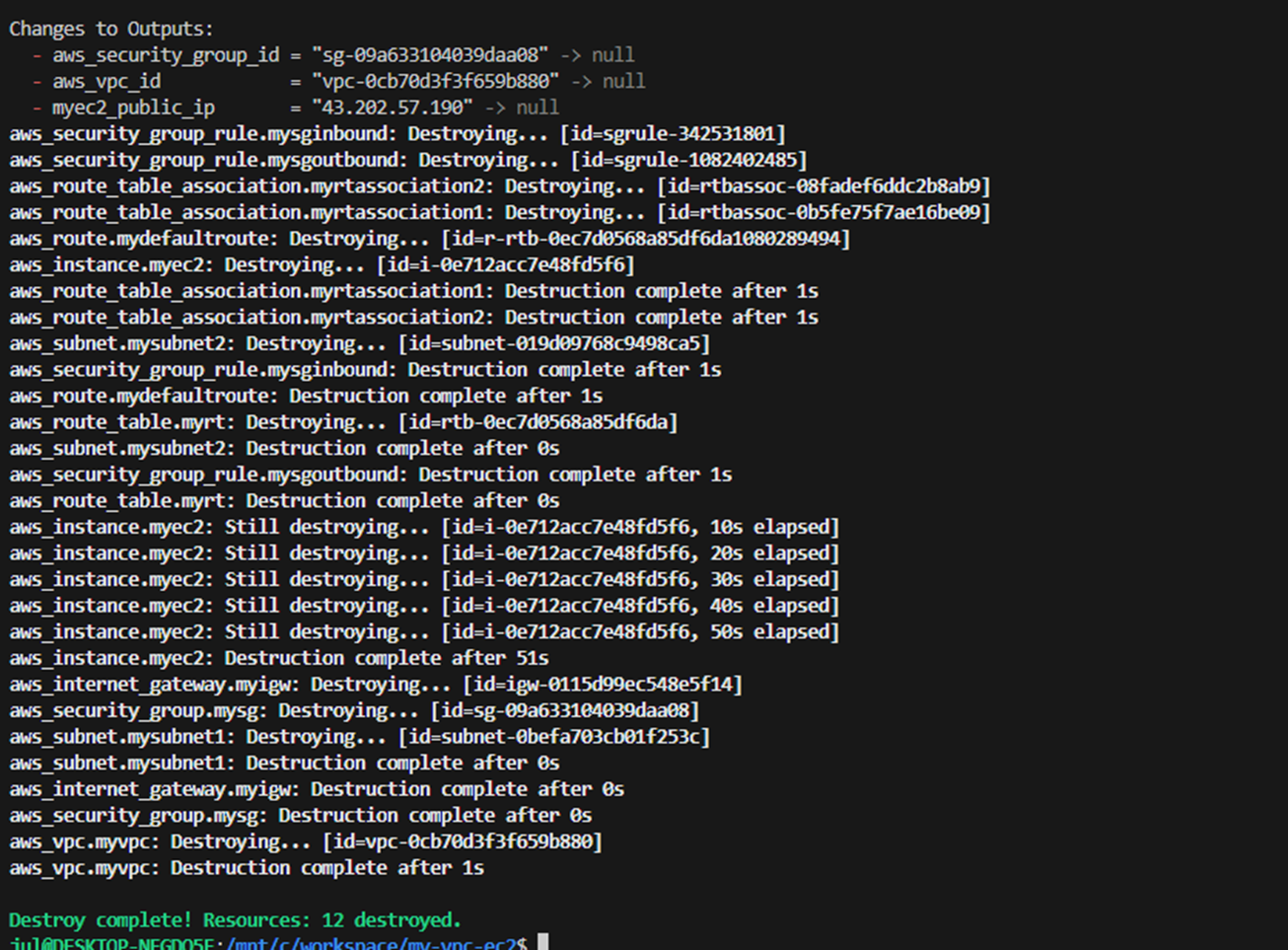
- 삭제: terraform destroy -auto-approve
4. [스터디 전용/실습2] AWS IAM User 생성
- AWS IAM User 생성 - tutorials
- 신규 폴더 생성 후 작업
mkdir local-test && cd local-test
touch iamuser.tf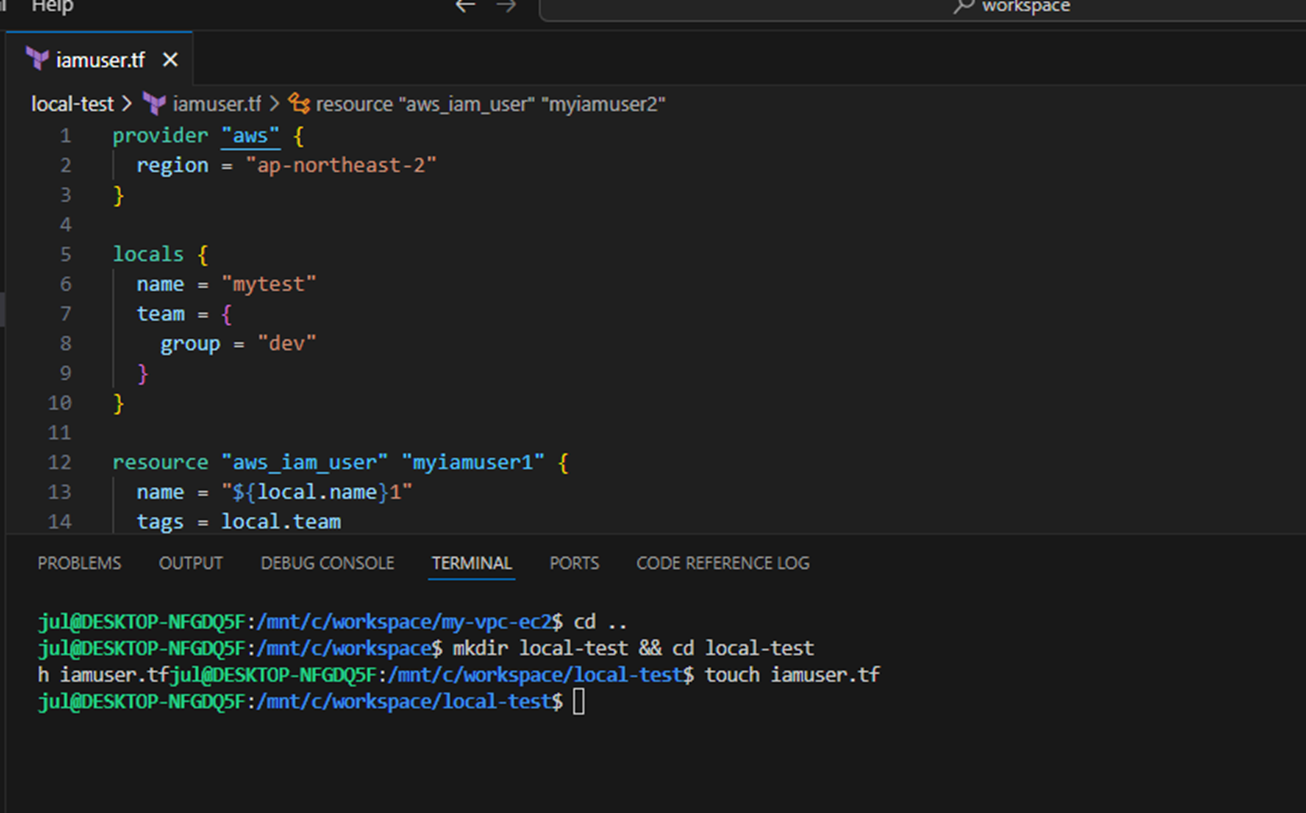
- iamuser.tf 파일 생성
provider "aws" {
  region = "ap-northeast-2"
}

locals {
  name = "mytest"
  team = {
    group = "dev"
  }
}

resource "aws_iam_user" "myiamuser1" {
  name = "${local.name}1"
  tags = local.team
}

resource "aws_iam_user" "myiamuser2" {
  name = "${local.name}2"
  tags = local.team
}
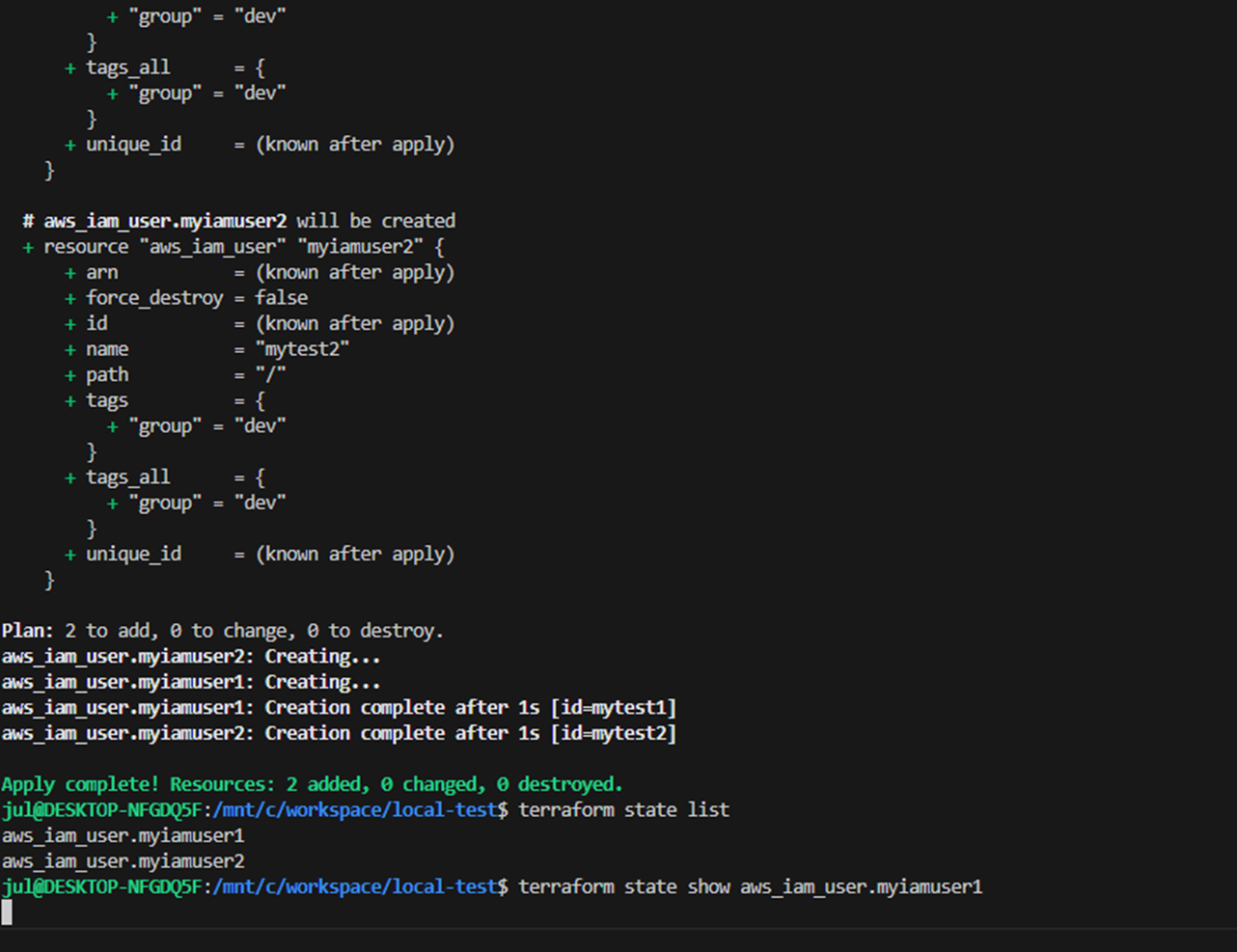
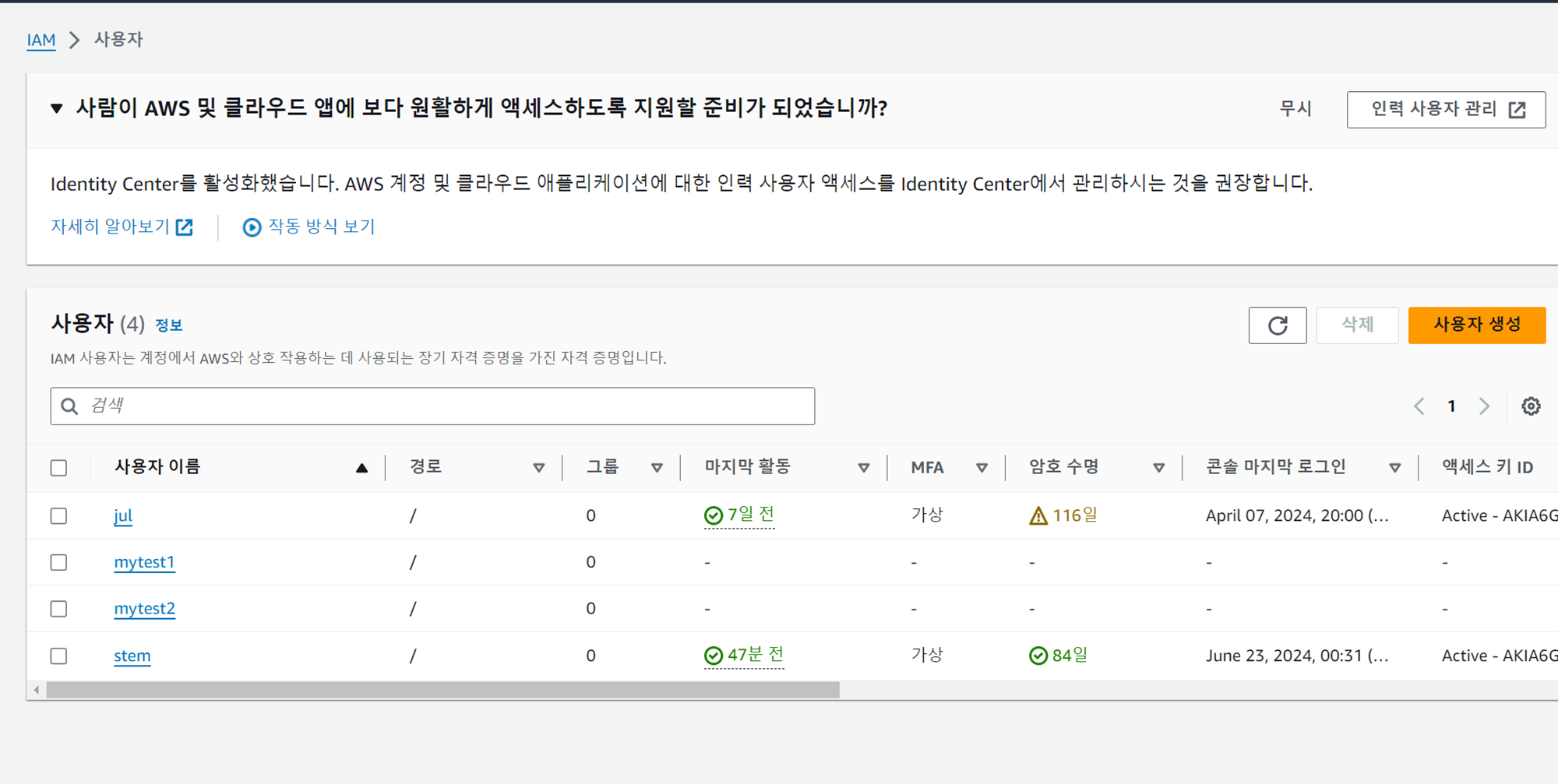
- 확인 : AWS 관리콘솔에서 IAM User 확인
#
terraform init && terraform apply -auto-approve
terraform state list
terraform state show aws_iam_user.myiamuser1
terraform state show aws_iam_user.myiamuser2

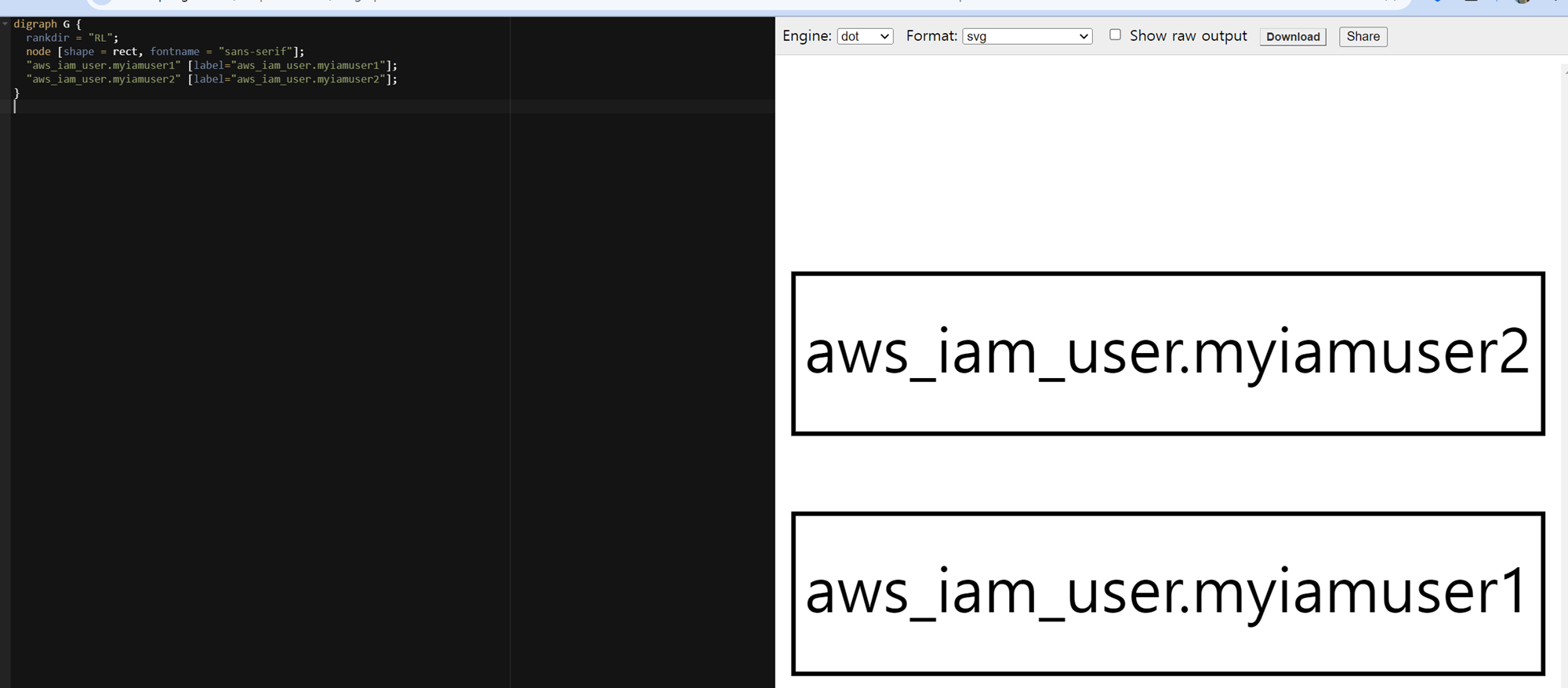
# graph 확인 > graph.dot 파일 선택 후 오른쪽 상단 DOT 클릭
terraform graph > graph.dot

# iam 사용자 리스트 확인
aws iam list-users | jq

# 삭제
terraform destroy -auto-approve -target=aws_iam_user.myiamuser1
terraform state list
terraform destroy -auto-approve
terraform state list


5. [스터디 전용/실습3] 반복문
- 실습1 : IAM 사용자 3명 생성
- 사용자 1명 생성 코드
provider "aws" {
  region = "ap-northeast-2"
}

resource "aws_iam_user" "example" {
  name = "neo"
}
- 범용 프로그래밍 언어 for 반복문 사용 ⇒ 테라폼은 for 반복문 또는 언어에 내장된 절차 논리가 없어서 아래 구문 동작 불가능
# This is just pseudo code. It won't actually work in Terraform.
for (i = 0; i < 3; i++) {
  resource "aws_iam_user" "example" {
    name = "neo"
  }
}
- 테라폼에서 count 를 사용하여 3명 IAM 사용자 생성 → 3명의 IAM 사용자 이름 중복으로 오류 발생 ⇒ for 반복문의 인덱스를 사용하여 각 사용자에게 고유한 이름 지정 가능
resource "aws_iam_user" "example" {
  count = 3
  name  = "neo"
}
실습 시작 : iam.tf
- 신규 폴더 생성 후 작업
mkdir iam-count-for && cd iam-count-for
touch iam.tf
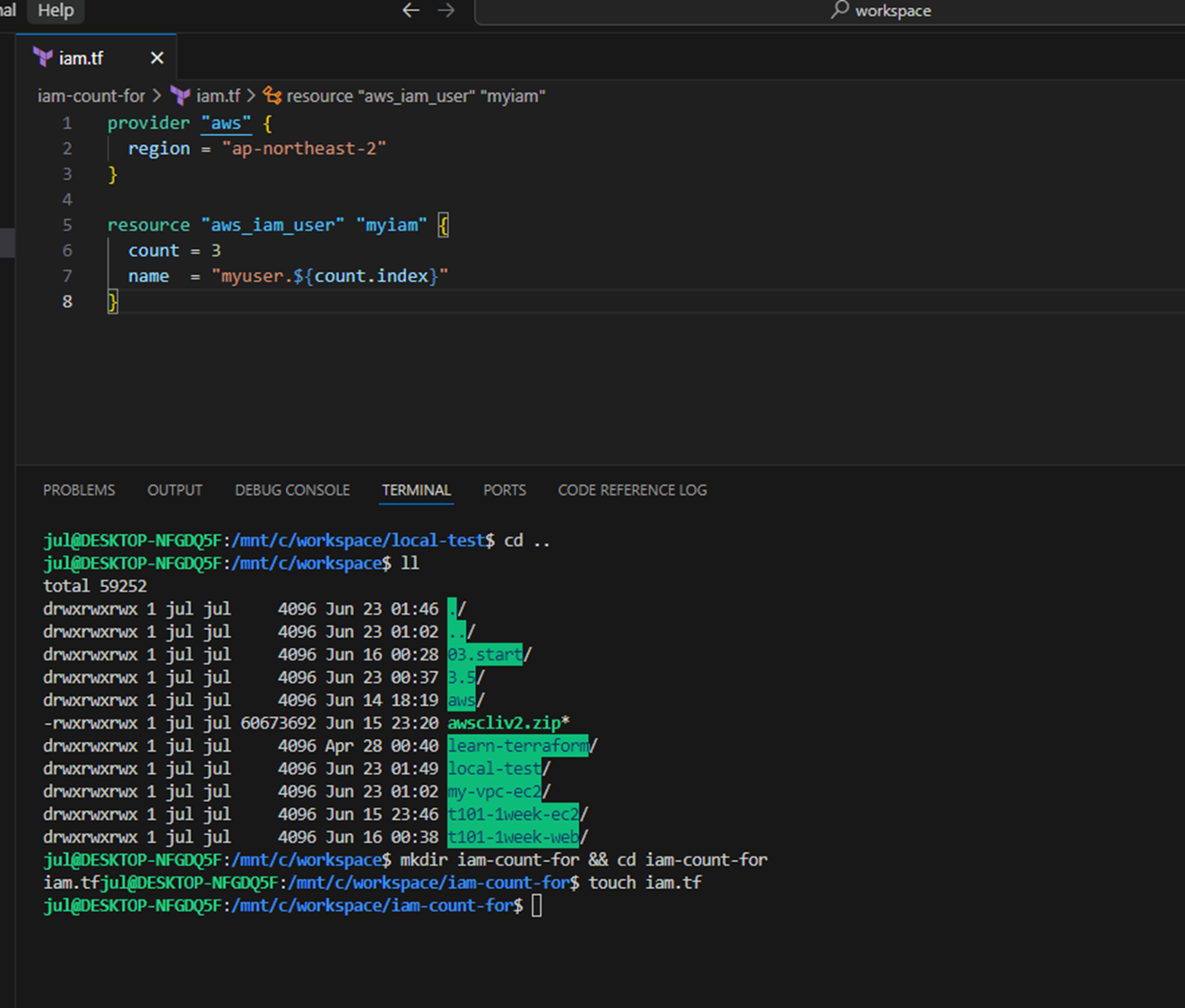
- iam.tf : 아래 처럼 count.index 를 사용하여 반복문 안에 있는 각각의 반복 ieration 을 가리키는 인덱스를 얻을 수 있음
provider "aws" {
  region = "ap-northeast-2"
}

resource "aws_iam_user" "myiam" {
  count = 3
  name  = "myuser.${count.index}"
}- init & plan 실행 및 apply
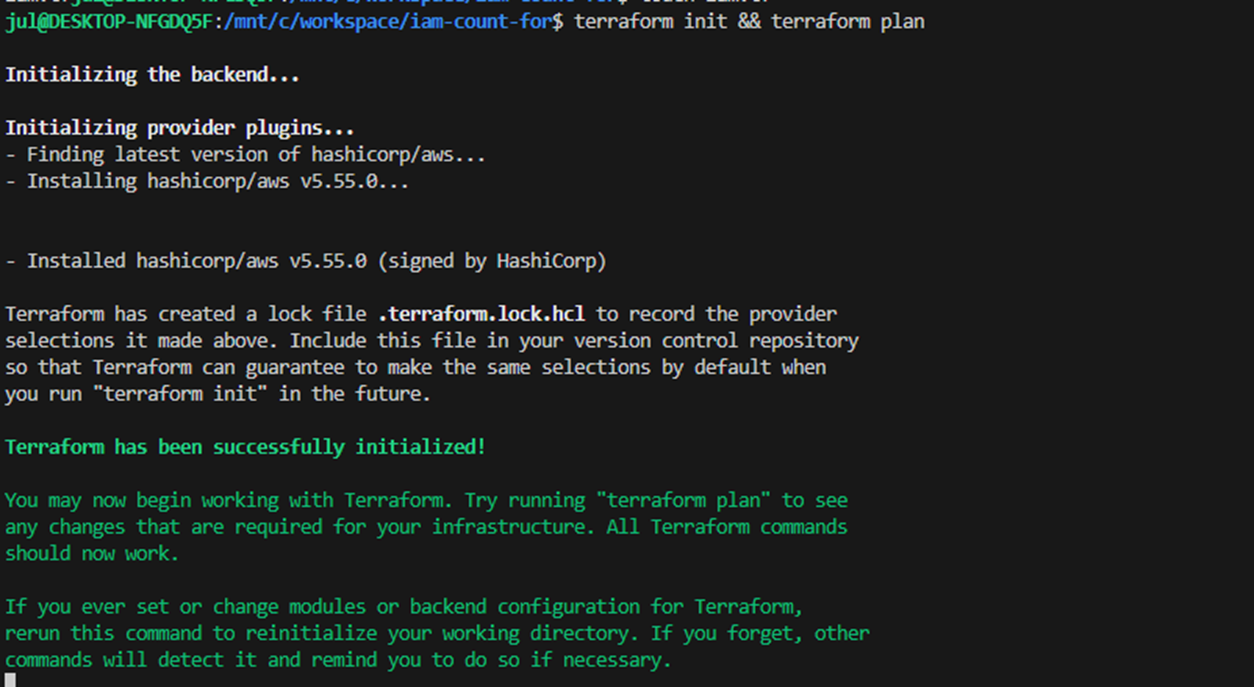
#
terraform init && terraform plan
...
  # aws_iam_user.myiam[0] will be created
  # aws_iam_user.myiam[1] will be created
  # aws_iam_user.myiam[2] will be created

# apply
terraform apply -auto-approve

# 확인
terraform state list
aws_iam_user.myiam[0]
aws_iam_user.myiam[1]
aws_iam_user.myiam[2]

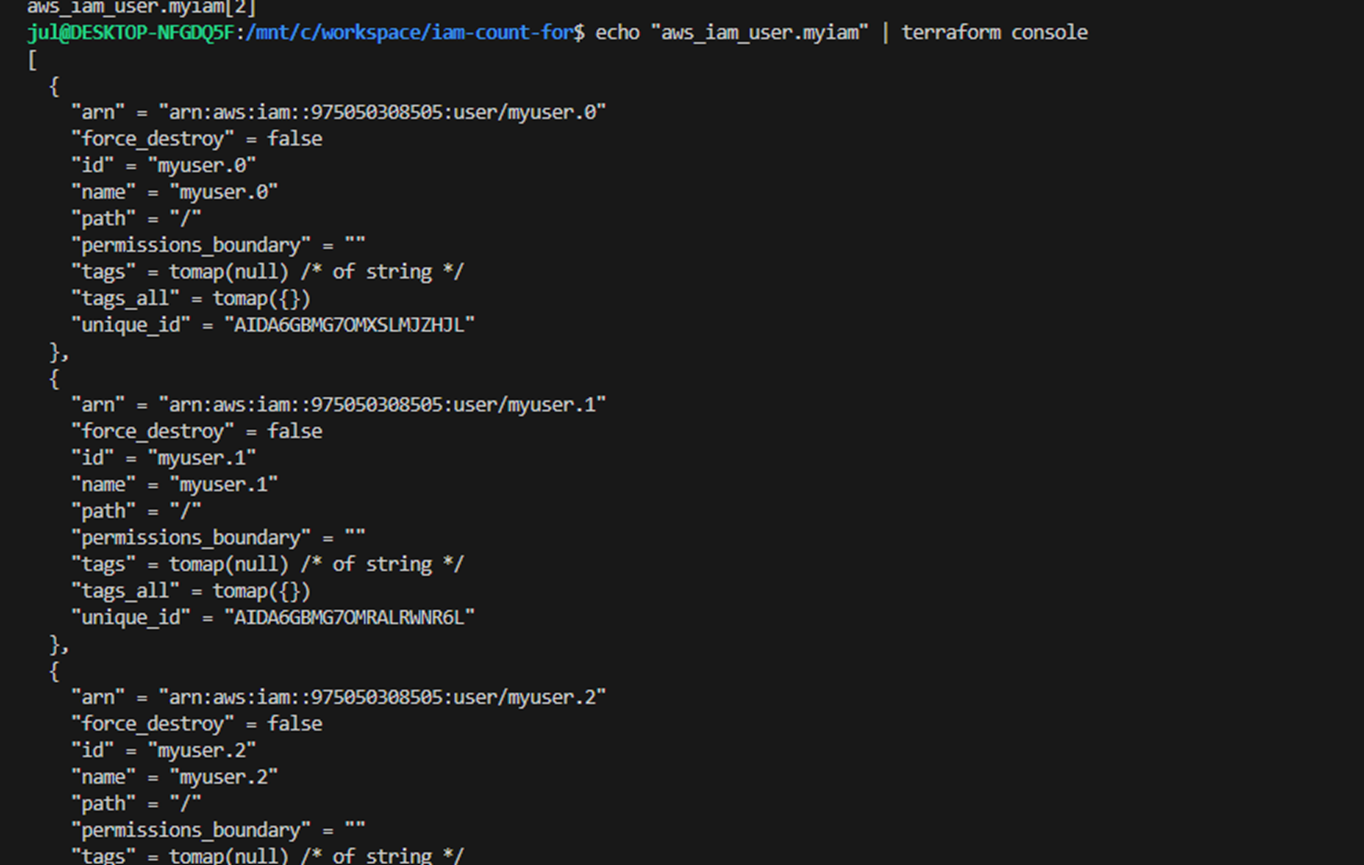
echo "aws_iam_user.myiam" | terraform console
echo "aws_iam_user.myiam[0]" | terraform console

terraform state show 'aws_iam_user.myiam[0]'
terraform state show 'aws_iam_user.myiam[2]'

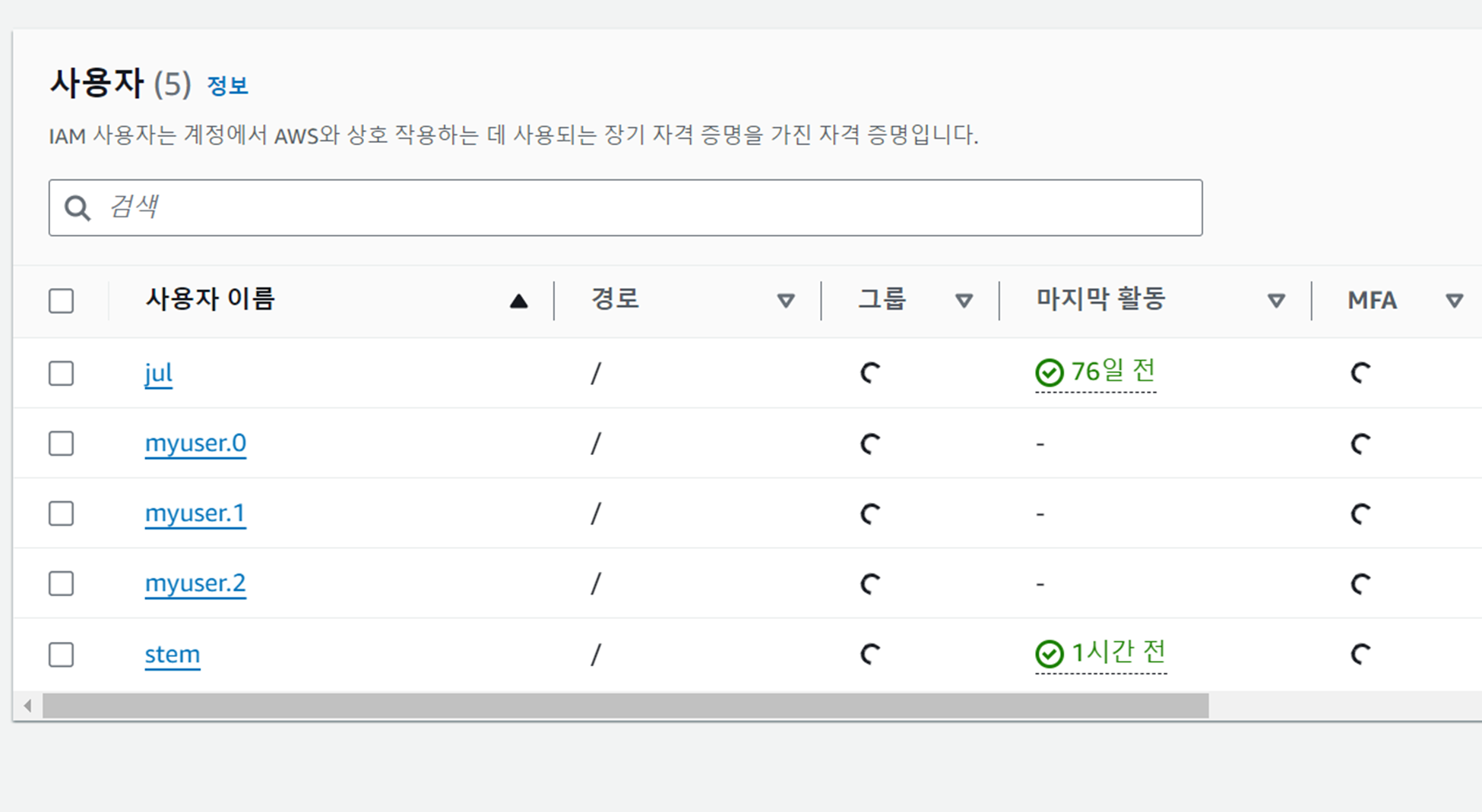
aws iam list-users | jq
...
- 다음 실습을 위해 iam user 삭제
terraform destroy -auto-approve
aws iam list-users | jq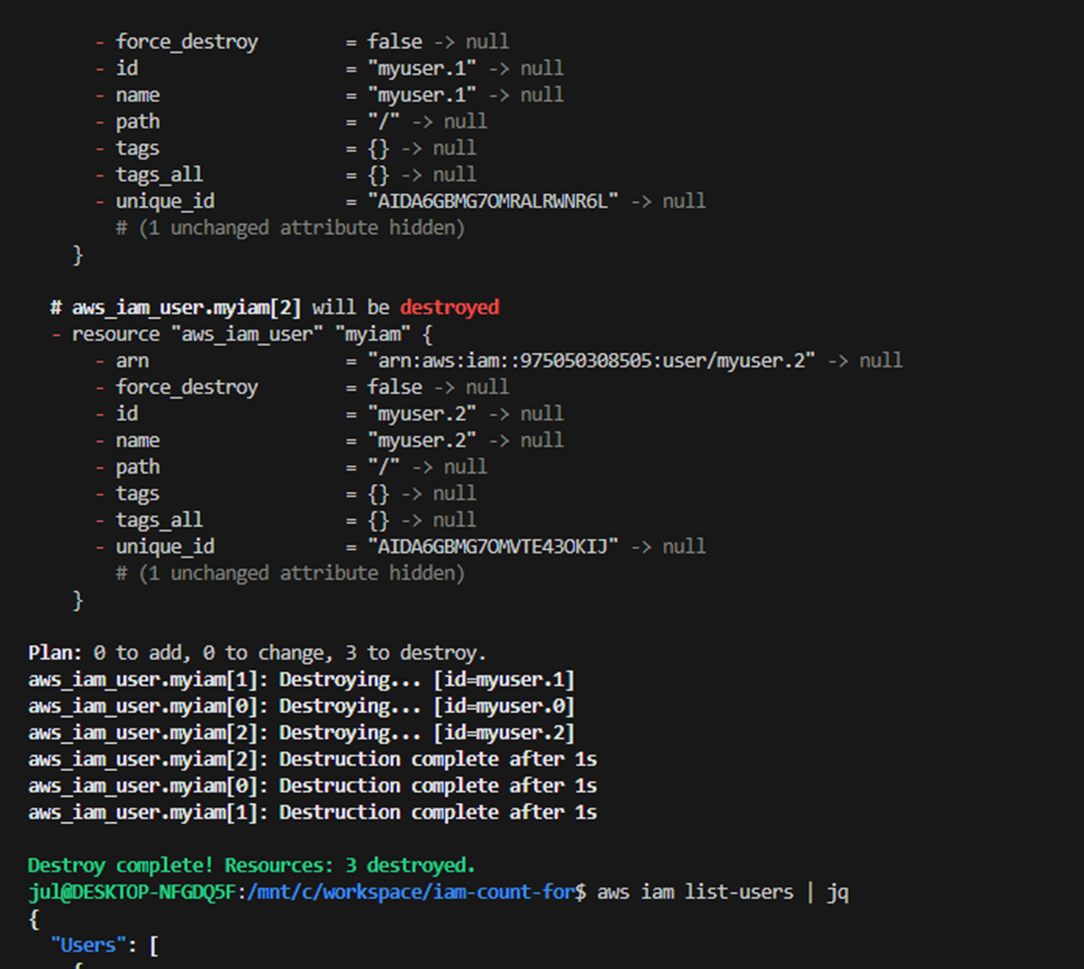
- 실습2 : count 입력 변수를 통해 IAM 사용자 생성
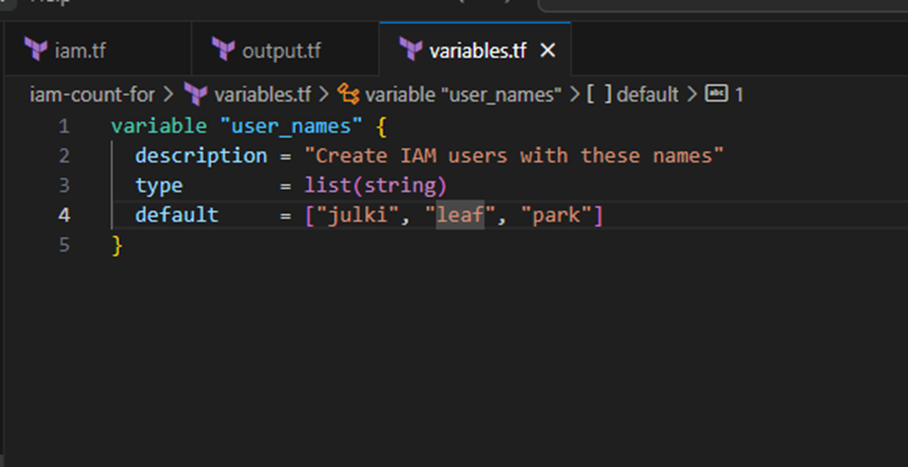
- 입력 변수 코드 생성 variables.tf
touch variables.tf
variable "user_names" {
  description = "Create IAM users with these names"
  type        = list(string)
  default     = ["julki", "leaf", "park"]
}
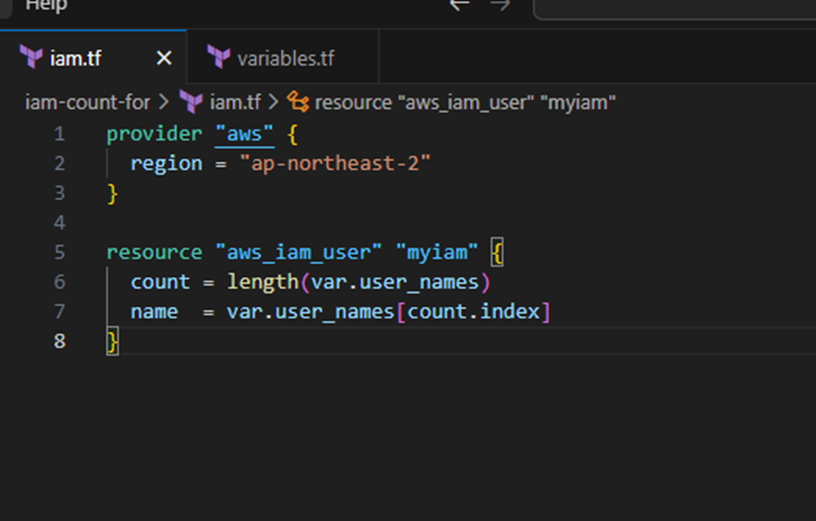
- 테라폼에서 count 와 함께 배열 조회 구문과 length 함수를 사용해서 사용자들 생성 가능
- 배열 조회 구문 Array lookup syntax
- ARRAY[<INDEX>]
- 예를 들어 다음은 var.user_names 의 인덱스 1에서 요소를 찾는 방법
- var.user_names[1]
- length (내장) 함수 built-on function
- length(<ARRAY>)
- 주어진 ARRAY 의 항목 수를 반환하는 함수. 문자열 및 맵을 대상으로도 동작
- 배열 조회 구문 Array lookup syntax
- iam.tf : 코드 내용 수정
provider "aws" {
  region = "ap-northeast-2"
}

resource "aws_iam_user" "myiam" {
  count = length(var.user_names)
  name  = var.user_names[count.index]
}
- init & plan : 리소스에 count 사용한 후에는 하나의 리소스가 아니라 리소스의 배열이 됩니다.
#
terraform plan
...
  # aws_iam_user.myiam[0] will be created
  # aws_iam_user.myiam[1] will be created
  # aws_iam_user.myiam[2] will be created
#
- aws_iam_user.myiam 은 이제 IAM 사용자의 배열이므로 표준 구문을 사용하여 해당 리소스인 <PROVIDER>_<TYPE>.<NAME>.<ATTRIBUTE> 에서 속성을 읽은 대신 배열에서 인덱스를 지정해서 IAM 사용자를 명시해야합니다.
- <PROVIDER>_<TYPE>.<NAME>[INDEX].ATTRIBUTE
- IAM 사용자 한명의 ARN과 사용자 전체의 ARN 을 출력 변수 outputs 으로 제공
- output.tf : IAM 사용자 전체의 ARN을 원하면 인덱스 대신 스플랫 splat 연산자인 * 를 사용
touch output.tf
output "first_arn" {
  value       = aws_iam_user.myiam[0].arn
  description = "The ARN for the first user"
}

output "all_arns" {
  value       = aws_iam_user.myiam[*].arn
  description = "The ARNs for all users"
}
- apply
#
terraform apply -auto-approve
terraform state list

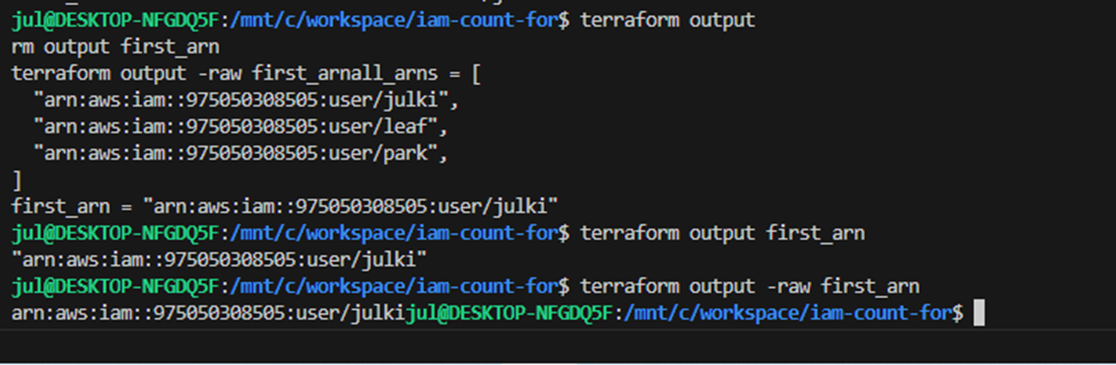
terraform output
terraform output first_arn
terraform output -raw first_arn

terraform output all_arns
terraform output -raw all_arns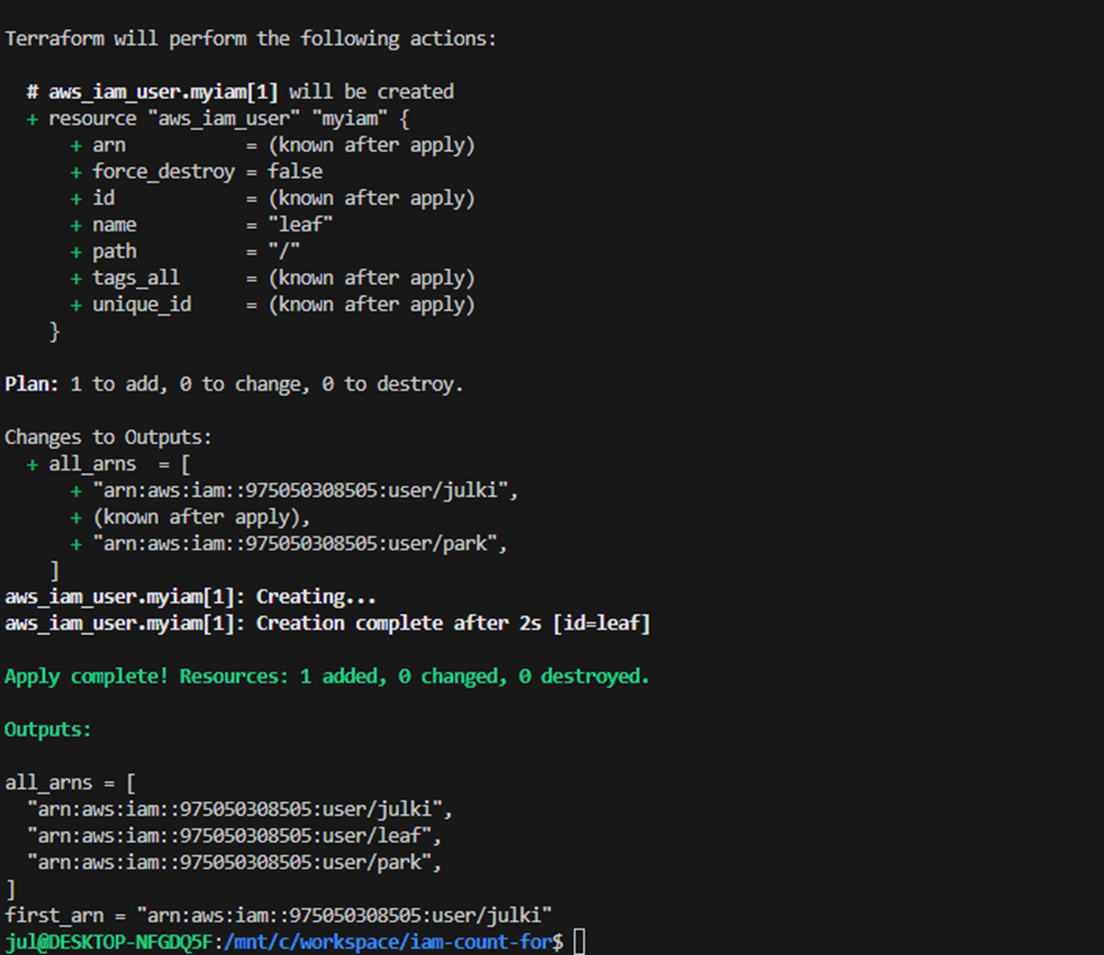
실습3 : count 제약사항 - 인라인 블록 반복 X, 배열 중간 값을 변경할 때 의도하지 않은 결과 발생
- [실습X] 전체 리소스를 반복할 수는 있지만 리소스 내에서 인라인 블록을 반복할 수는 없습니다.
- 예를 들어 아래 ASG 리소스에 태그 설정 방법에서 생각해보자
resource "aws_autoscaling_group" "example" {
  launch_configuration = aws_launch_configuration.example.name
  vpc_zone_identifier  = data.aws_subnets.default.ids
  target_group_arns    = [aws_lb_target_group.asg.arn]
  health_check_type    = "ELB"

  min_size = var.min_size
  max_size = var.max_size

  tag {
    key                 = "Name"
    value               = var.cluster_name
    propagate_at_launch = true
  }
}
- 각각의 tag 를 사용하려면 key, value, propagate_at_launch 에 대한 값으로 새 인라인 블록을 만들어야 합니다.
- 따라서 count 매개변수를 사용해서 이러한 태그를 반복하고 동적인 인라인 tag 블록을 생성하려고 시도할 수도 있지만, 인라인 블록 내에서는 count 사용은 지원하지 않습니다.\
- [실습] 배열 중간 값을 변경할 때 의도하지 않은 결과 발생
- 실습을 위해 다시 IAM 사용자 생성
terraform apply -auto-approve
...
aws_iam_user.myiam[2]: Refreshing state... [id=hyungwook]
aws_iam_user.myiam[1]: Refreshing state... [id=akbun]
aws_iam_user.myiam[0]: Refreshing state... [id=gasida]
...
- variables.tf : IAM 사용자 생성 목록 작성
variable "user_names" {
  description = "Create IAM users with these names"
  type        = list(string)
  default     = ["julki", "leaf", "park"]
}
- variables.tf : 중간에 있는 akbun 을 제거하고 plan & apply
variable "user_names" {
  description = "Create IAM users with these names"
  type        = list(string)
  default     = ["leaf", "park"]
}
# plan : 출력 내용 확인!
terraform plan
...
~ update in-place
- destroy
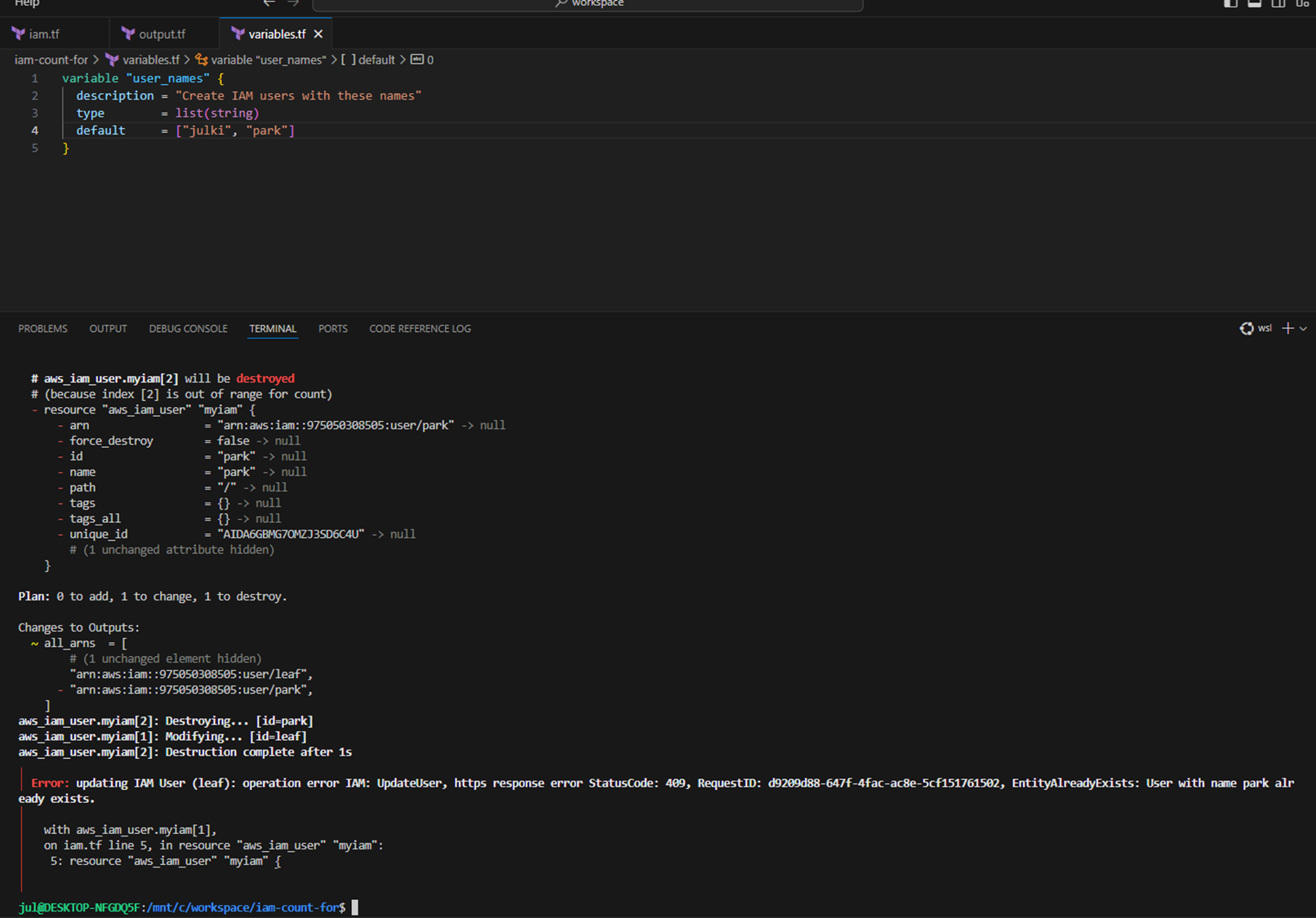
- 배열의 중간에 항목을 제거하면 모든 항목이 1칸씩 앞으로 당겨짐.
- 테라폼이 인덱스 번호를 리소스 식별자로 보기 때문에 ‘인덱스 1에서는 계정 생성, 인덱스2에서는 계정 삭제한다’라고 해석합니다.
- 즉 count 사용 시 목록 중간 항목을 제거하면 테라폼은 해당 항목 뒤에 있는 모든 리소스를 삭제한 다음 해당 리소스를 처음부터 다시 만듬.
#
terraform apply -auto-approve
...
│ Error: updating IAM User (akbun): operation error IAM: UpdateUser, https response error StatusCode: 409, RequestID: c2b3cac1-d4da-4df6-8497-f03fc0ae717a, EntityAlreadyExists: User with name hyungwook already exists.
│
│   with aws_iam_user.myiam[1],
│   on iam.tf line 5, in resource "aws_iam_user" "myiam":
│    5: resource "aws_iam_user" "myiam" {
- 다음 실습을 위해 iam user 삭제
terraform destroy -auto-approve
aws iam list-users | jq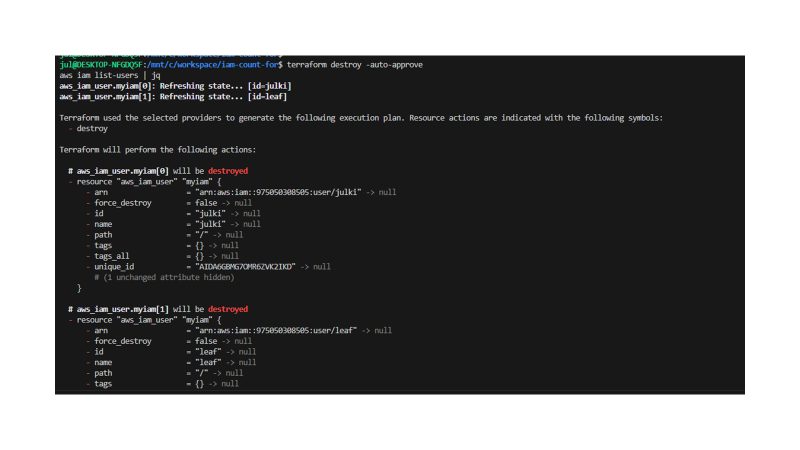
'Terraform Study' 카테고리의 다른 글
| 1주차 - 기본 사용 1/3 (0) | 2024.06.15 |
|---|
